

Setting up and launching your online course might seem daunting at first, but trust me—it’s simpler than you think! With just a few clicks, you’ll be on your way to sharing your expertise, building your audience, and even earning some income. Let’s dive in step-by-step.
TABLE OF CONTENTS
Create a Course
Creating your first course is like laying the foundation for your teaching empire. It’s exciting and easy—let’s walk through it together.
- Navigate to Memberships > Courses > Products.
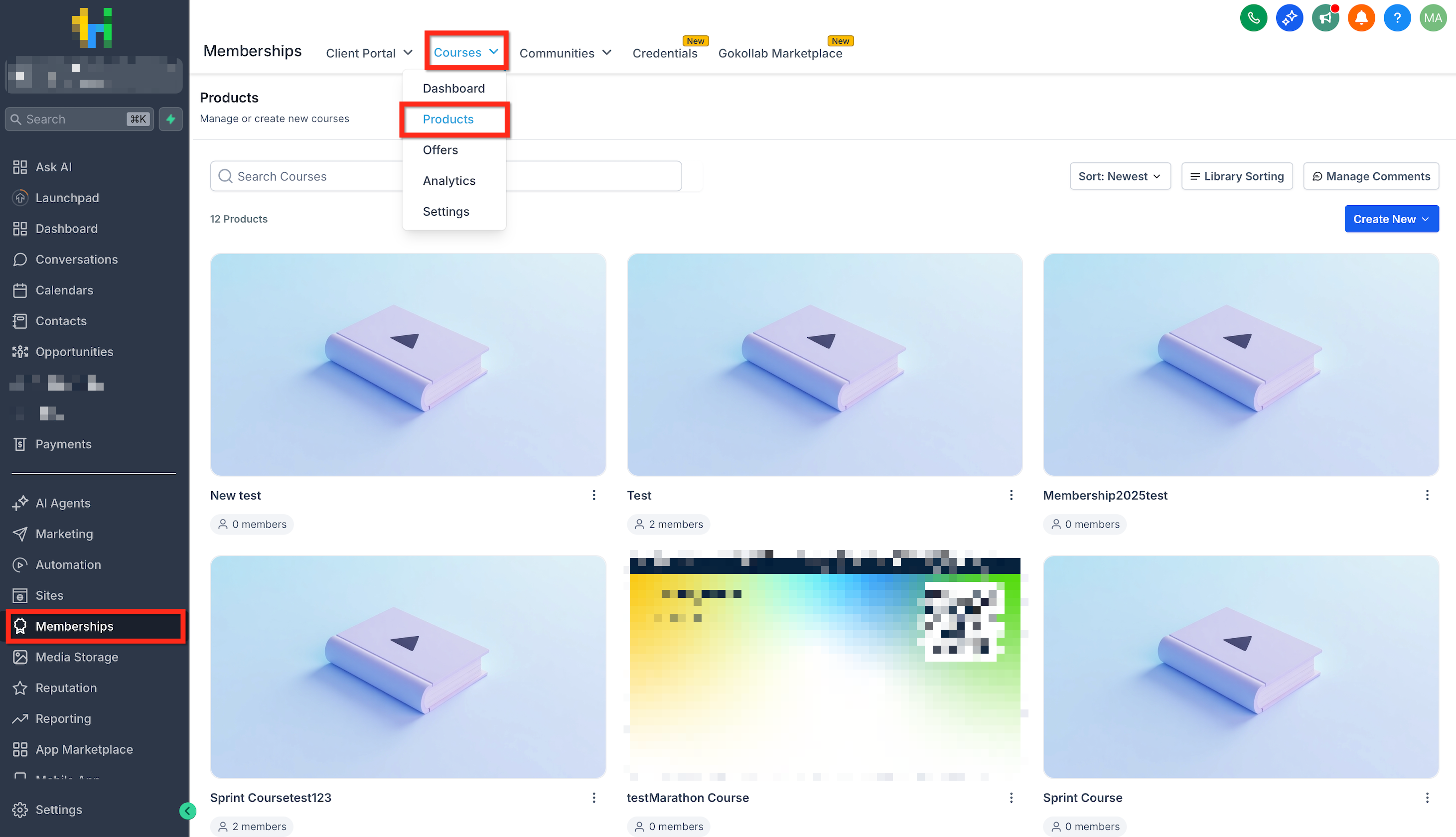
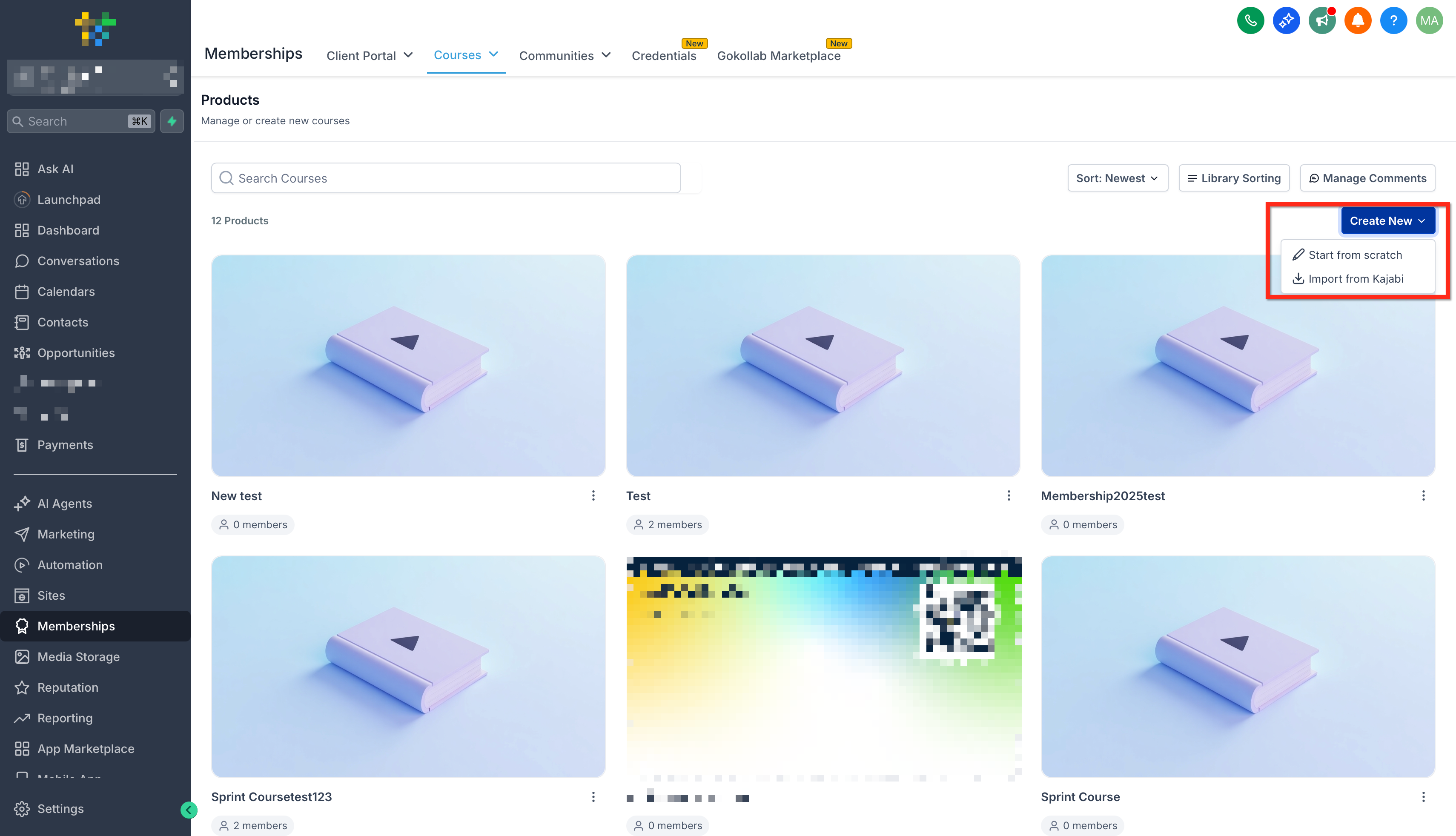
- Click Create New > Start from Scratch.
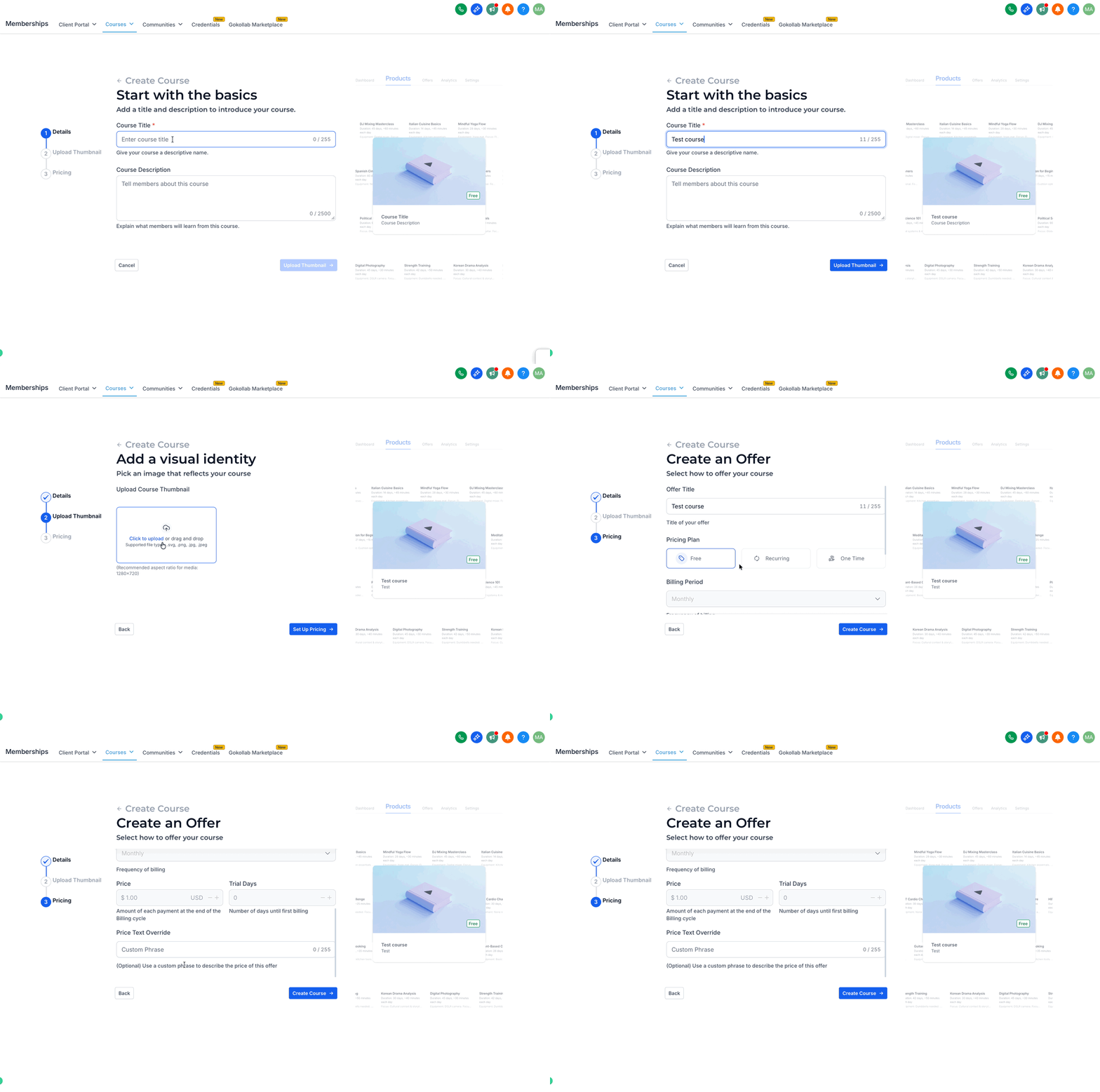
- Add your course details, including the Course Title and Course Description. Upload a thumbnail image for your course. Set the pricing for your course by selecting Free, Recurring, or One Time, then click Create Course.
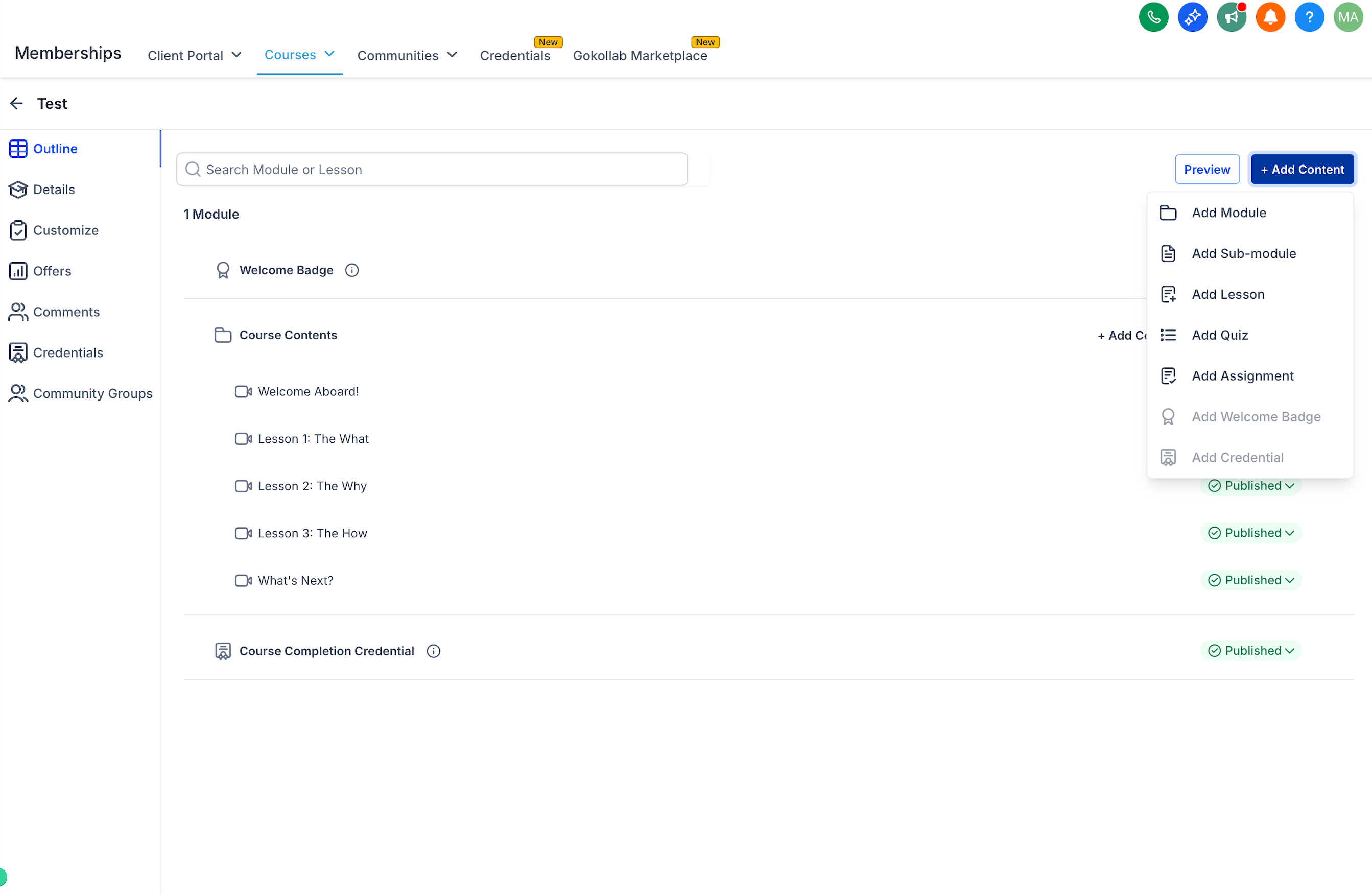
- Build out your course content from scratch or edit the template.
Create an Offer
Once your amazing course is ready, creating an offer is like packaging a beautiful gift—enticing and clearly valuable.
Here’s how to make it irresistible:
- Navigate to Memberships > Courses > Offers.
- Click Create Offer.
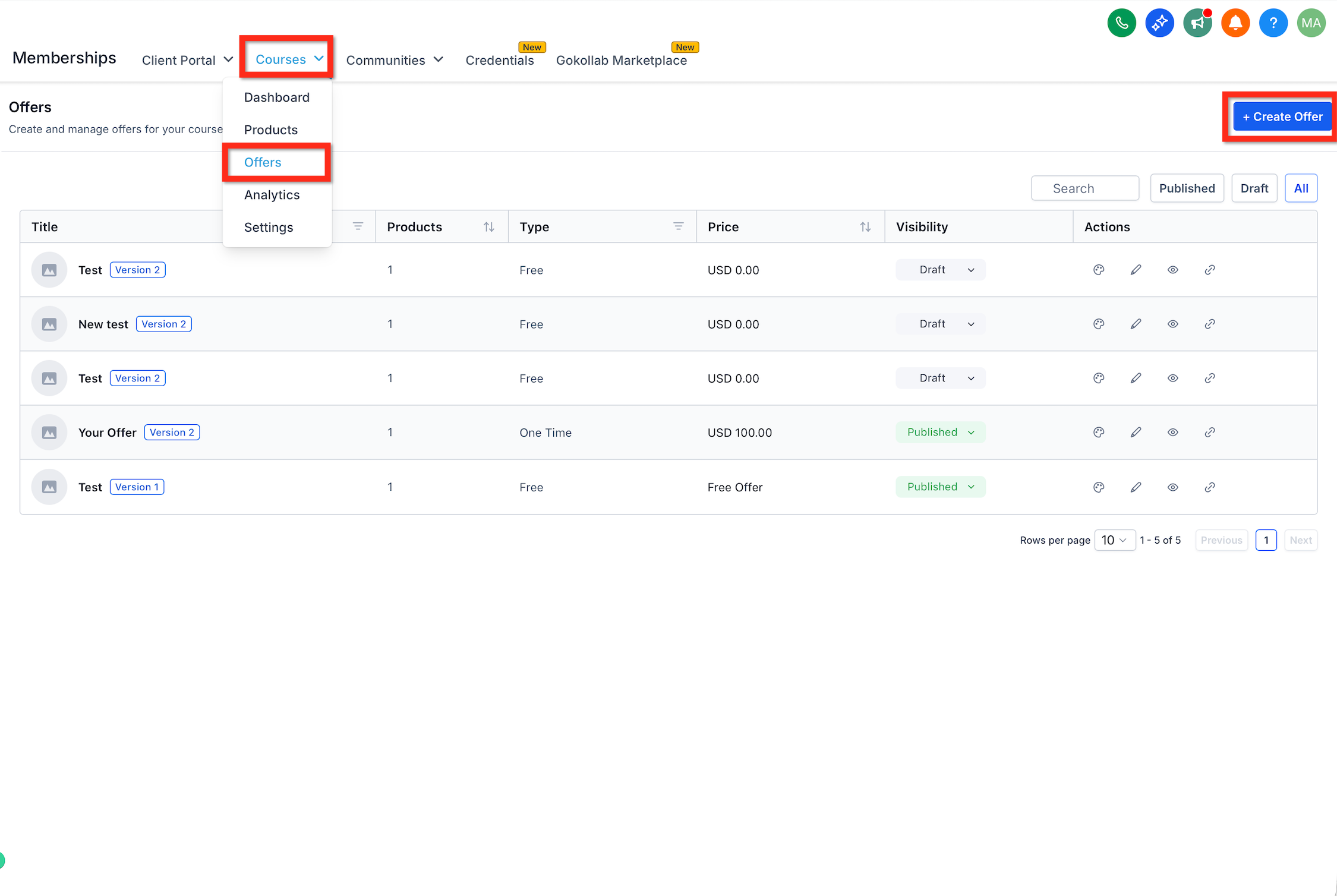
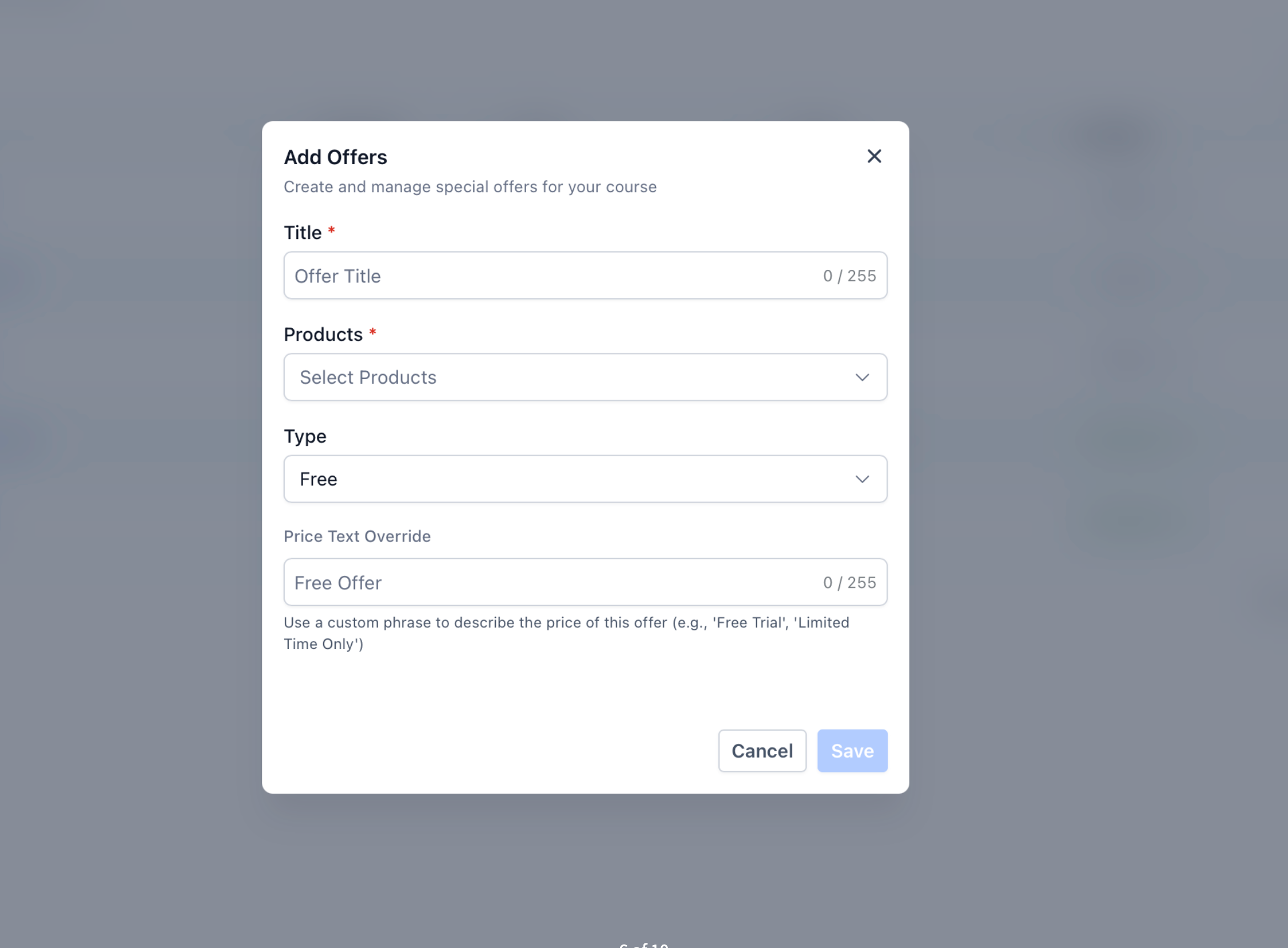
- Fill in your offer details to clearly communicate the value.
- Assign your newly created course product to the offer.
- Set your desired price.
- Click Create.
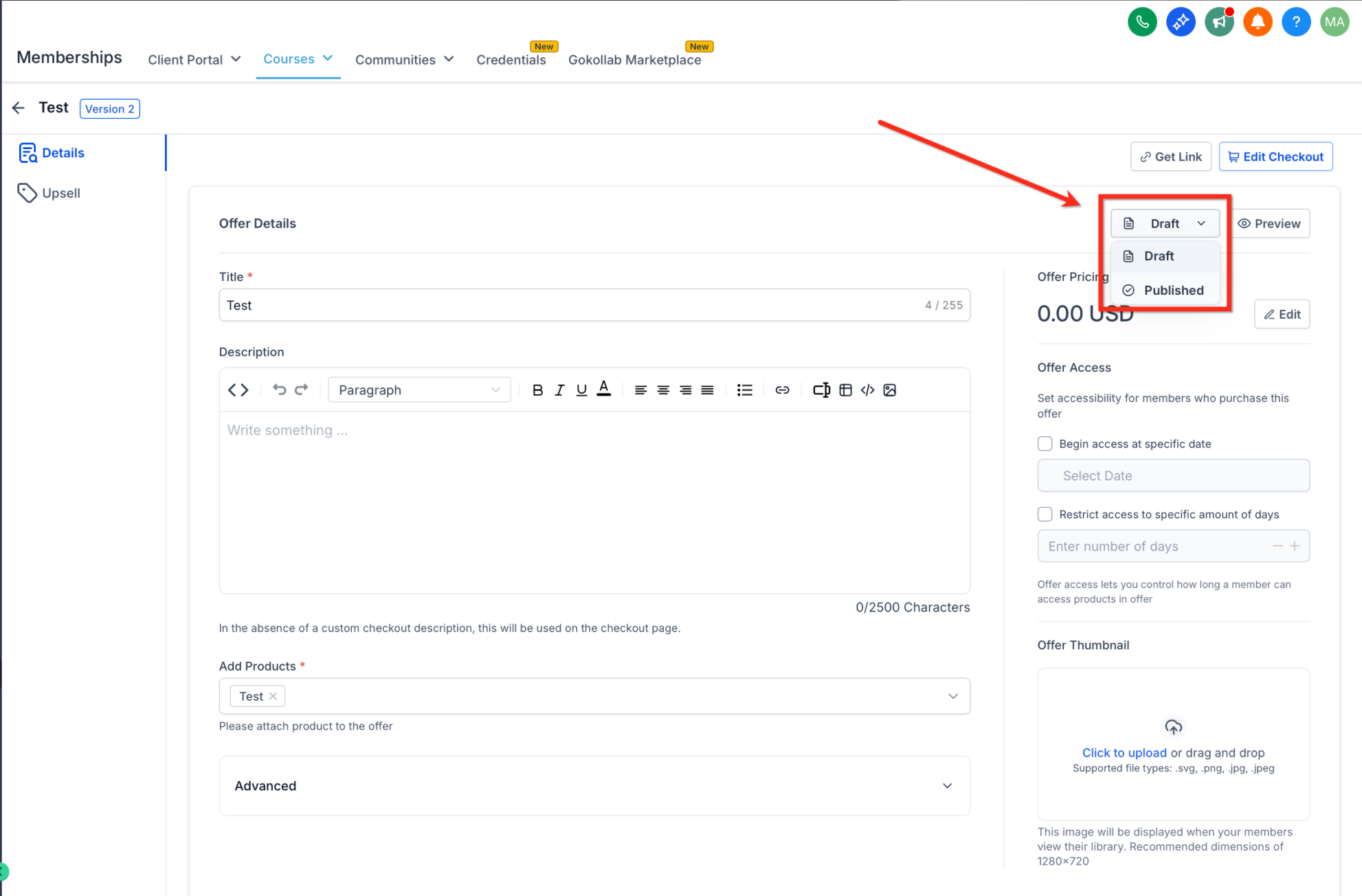
- Switch your Offer from Draft to Published and click Save.
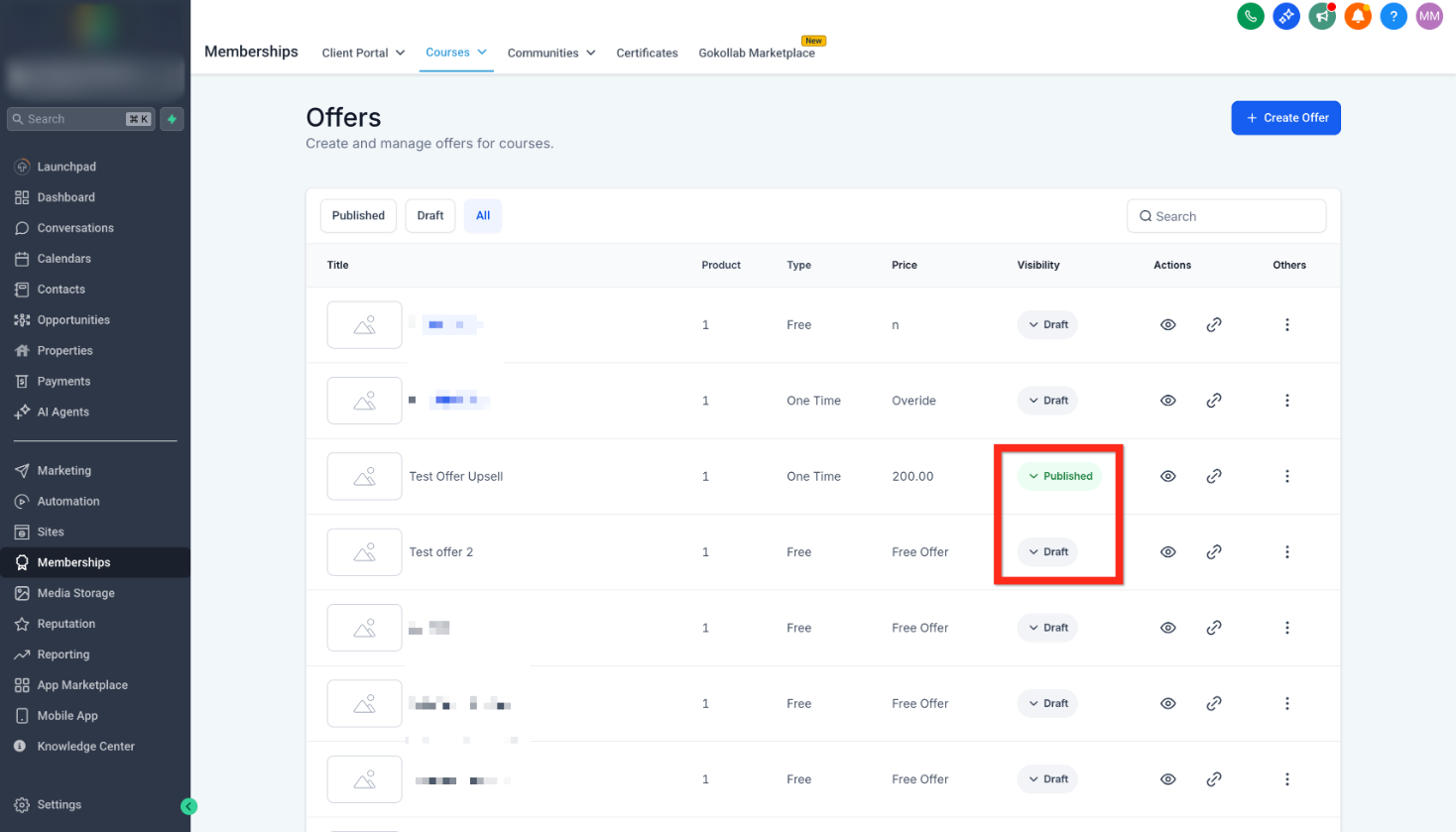
- Or switch between draft and published directly in the offers list.
Next you can: Consider bundling offers or creating discount codes to attract more learners.
Sell Offer
Congratulations, your offer is ready to share with the world! The final step is all about connecting with your audience.
Let’s quickly generate and share your offer:
- Navigate back to Memberships > Courses > Offers.
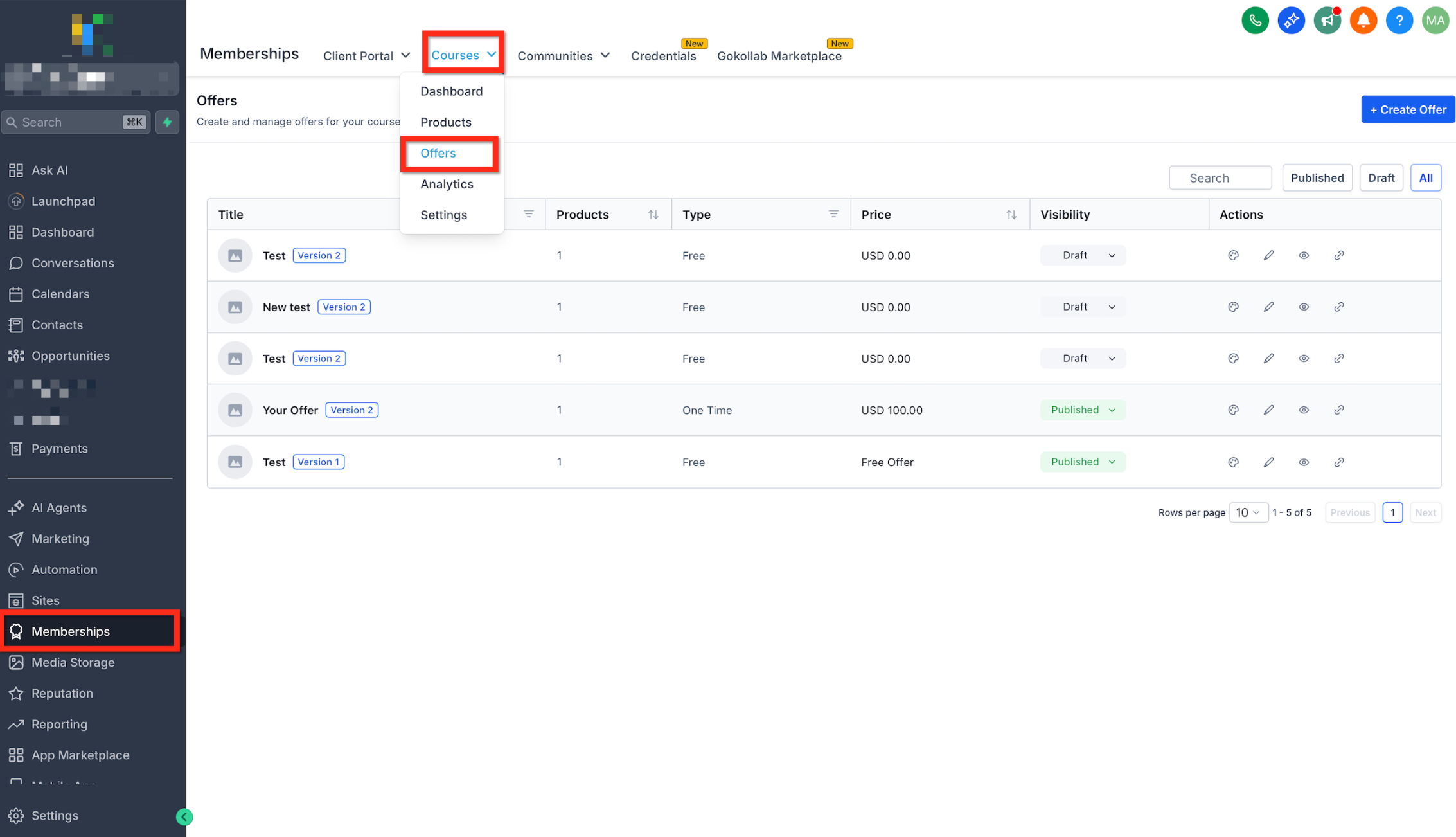
- Click the link icon to get the link for an offer.
- Click Copy.
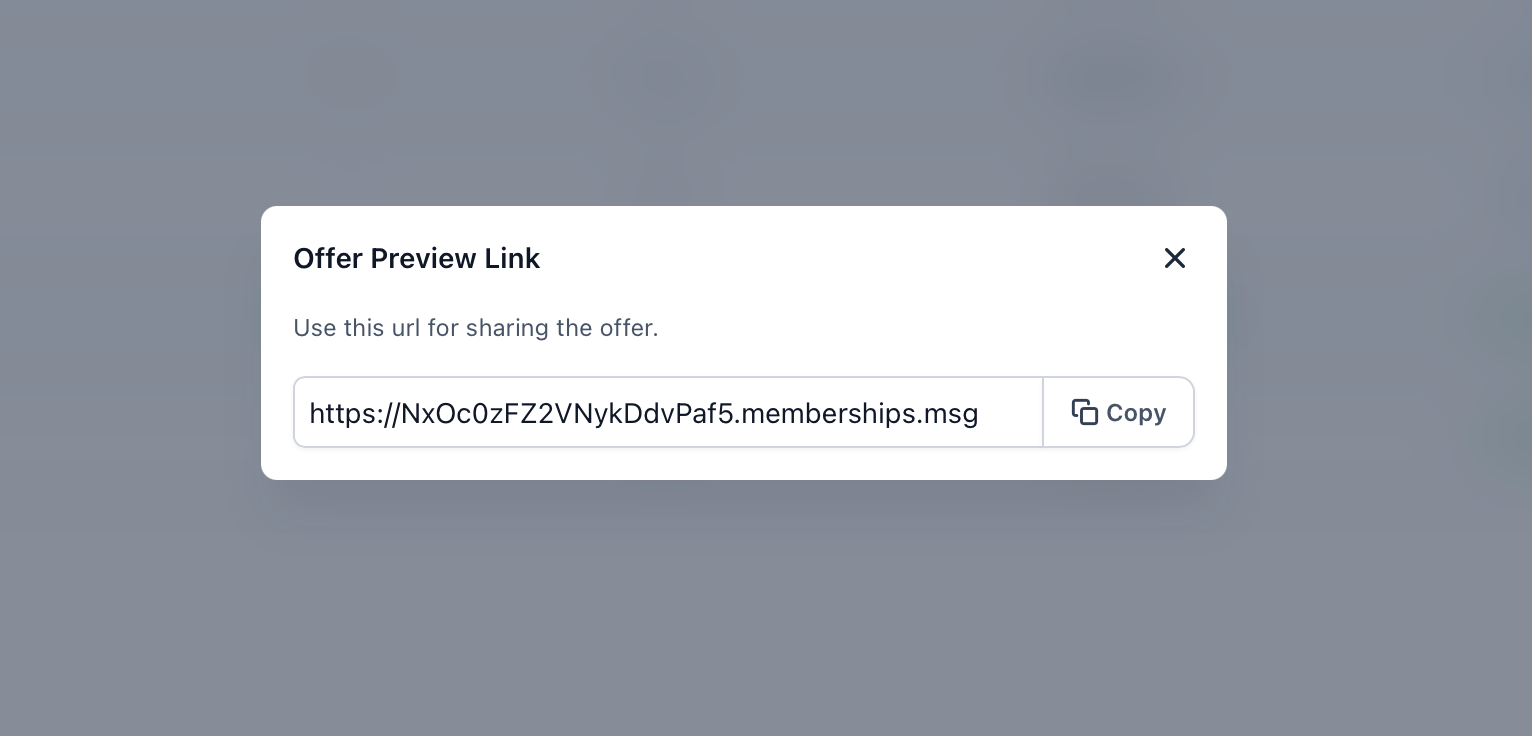
- Share it across your channels—social media, emails, or your website.
Next you can: Explore marketing strategies or launch a campaign to boost your course sales.
Frequently Asked Questions
Q: Do I need to create a course before creating an offer?
Yes. An offer is connected to a course product, so you need to create the course before assigning it to an offer.
Q: Can I edit my course after publishing it?
Yes. You can return to the course and update its lessons and content as needed.
Q: What happens if my offer is set to Draft?
The offer is not available to learners until you change its status to Published.
Q: Can I create multiple offers for one course?
Yes. You can create multiple offers for the same course with different pricing, access options, or bundles.
Q: Where can I share my course offer link?
You can share the offer link through emails, social media, websites, landing pages, or other marketing channels.