

This feature allows you to keep your contact information automatically synchronized between your workspace and an external contacts service. When enabled, contacts can be created, updated, and organized automatically based on activity such as form submissions, appointments, or database updates—without requiring manual entry.
By keeping contact data aligned across systems, you ensure your communication lists stay accurate, searchable, and ready for follow-ups at all times.
TABLE OF CONTENTS
- What This Integration Helps You Do
- Supported Triggers and Actions
- Triggers That Can Start a Workflow
- Actions Workflows Can Perform
- Connecting the Contacts Service
- How Contact Triggers Work
- Common Automation Scenarios
- Saving Contacts from Appointments
- Turning Form Submissions Into Contacts
- Creating Contacts from Database Records
- Example Workflow Structure
- Managing Connected Accounts
- Need More Help?
What This Integration Helps You Do
Once connected, workflows can automatically perform actions such as creating new contacts, updating existing contact details, or organizing contacts into groups. This ensures that important customer information stays consistent and up to date as people interact with your business.
This setup is especially useful for teams that rely on automated follow-ups, segmentation, or external communication tools tied to contact data.
Supported Triggers and Actions
Triggers That Can Start a Workflow
These events can automatically trigger workflows when changes occur in the connected contacts service:
-
A new contact is added
-
A new contact group is created
The system checks for updates at regular intervals and starts workflows when new activity is detected.
Actions Workflows Can Perform
Once a workflow is triggered, it can take actions such as:
-
Creating a new contact
-
Updating an existing contact
-
Finding a contact by email, phone number, or name
-
Creating a new contact group
-
Adding contacts to one or more groups
These actions help keep contact records organized without manual effort.
Connecting the Contacts Service
After opening the automation builder, you can search for contact-related triggers or actions. If the external contacts service has not yet been connected, you will be prompted to authorize access during setup.
Once authorization is complete, workflows can immediately begin creating, finding, or updating contact records automatically.
This screen shows where the contacts integration can be found within the integrations area. From here, you can connect, manage, or disconnect the external contacts service.
How Contact Triggers Work
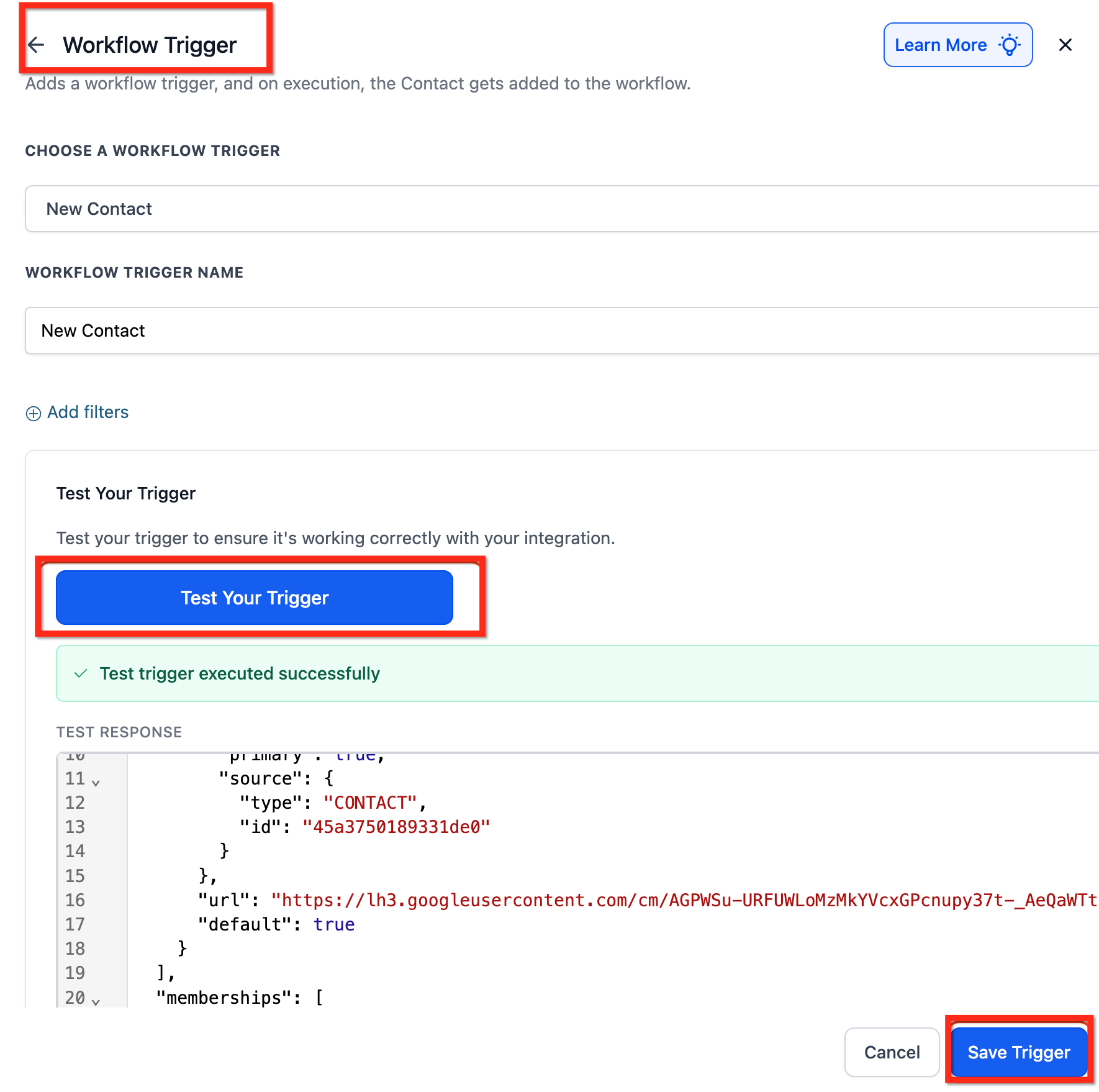
Contact-based triggers rely on periodic checks to identify new contacts or groups. When new data is detected, the workflow begins automatically. Testing the trigger during setup ensures that all available fields can be used later in the workflow.
This view shows how to test a trigger to confirm it is working correctly and pulling the necessary data for use in later workflow steps.
Common Automation Scenarios
Saving Contacts from Appointments
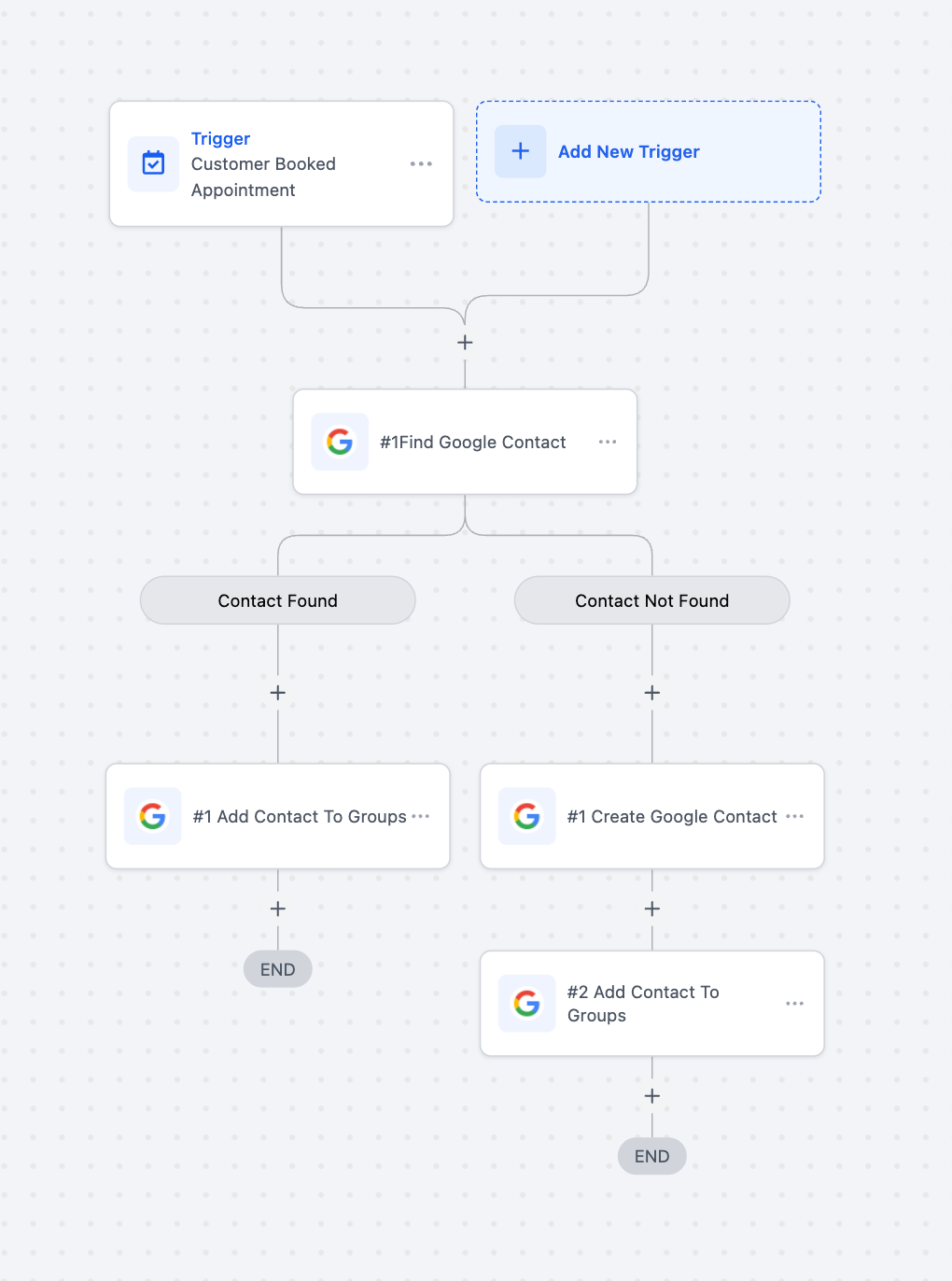
When someone schedules an appointment, a workflow can check whether their contact already exists. If not, it creates a new contact and assigns them to a relevant group, such as consultations or demos.
Turning Form Submissions Into Contacts
When a form is submitted, workflows can automatically create or update a contact using the information provided. This ensures that leads are captured instantly and accurately.
Creating Contacts from Database Records
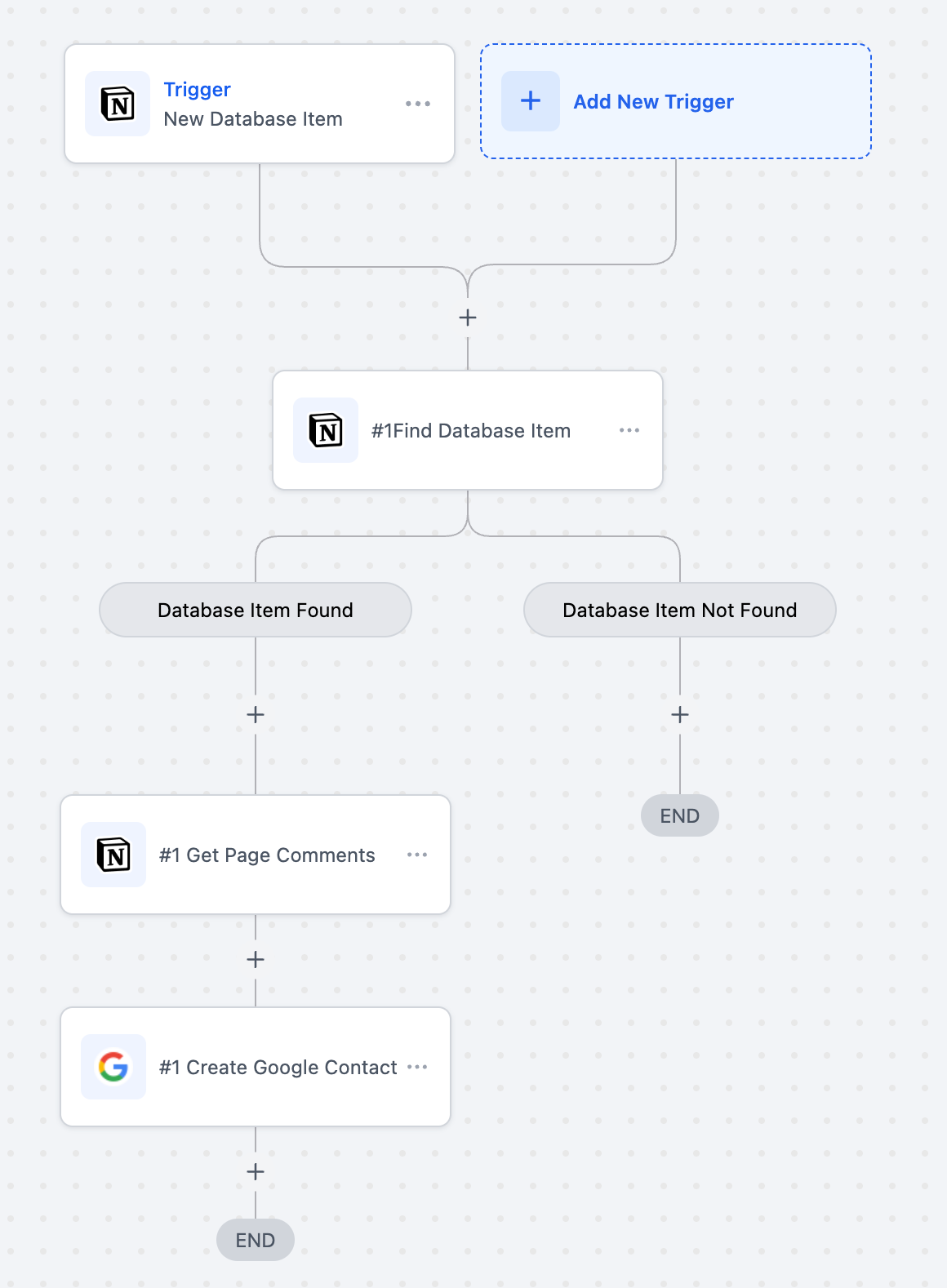
New records added to a database can trigger workflows that automatically create contact entries. This is useful when managing contacts across multiple data sources.
Example Workflow Structure
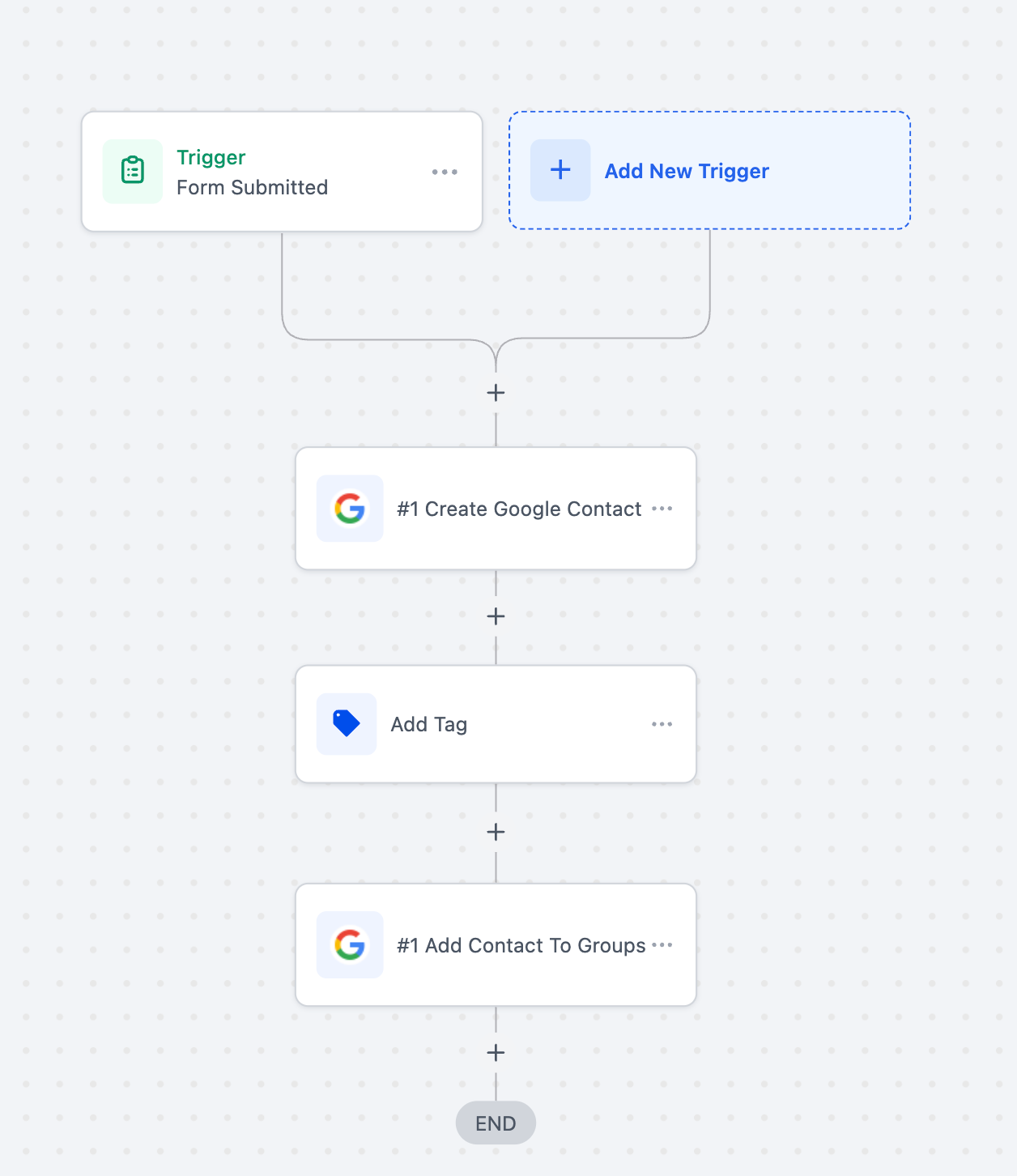
This diagram shows how triggers and actions connect together to create a fully automated contact-sync workflow.
Managing Connected Accounts
Connected contact accounts can be reviewed, added, or removed at any time. You can also disconnect all linked accounts if needed, which immediately stops further syncing.
This window shows where connected accounts can be managed, including options to add additional accounts or remove existing ones.
Frequently Asked Questions
Q: Can I update contacts that already exist in the external contacts service?
Yes. Workflows can modify existing contact records using update actions.
Q: Do contacts sync automatically once the integration is connected?
Yes. Once connected, workflows handle syncing automatically based on the triggers you configure.
Q: Can contacts be organized into groups automatically?
Yes. Workflows can assign contacts to one or more groups based on conditions you define.
Q: Is testing required before activating a workflow?
Testing is recommended so all available fields can be used correctly in later steps.
Need More Help?
If you need additional guidance, use the in-app help search to explore related articles on workflow automation, contact management, or trigger setup. You can also reach out through the help menu for further assistance.