

TABLE OF CONTENTS
- Step 1: Generate Live token in Shippo
- Step 2: Setting up Package template & Shipping options in Shippo
- Step 3: Setup Shipping Origin in Shipping Settings
- Step 4: Install Shippo app from marketplace
- Step 5: Enter the Shippo live token & continue
- Step 6: Enable/ Disable live shipping rates
- Step 7: Add Product Weights
- Important Notes
Step 1: Generate Live token in Shippo
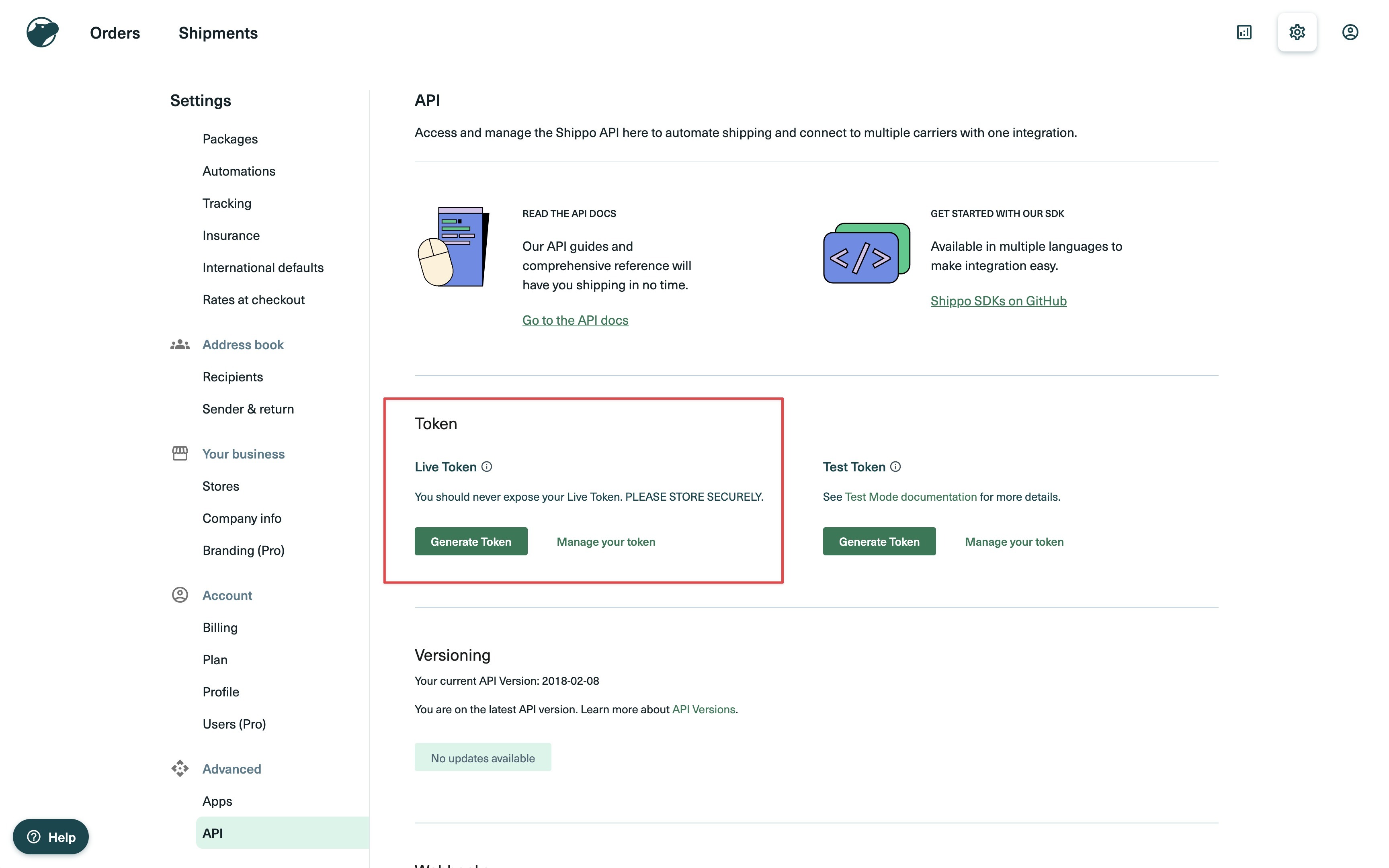
Generate live Token in Shippo can be accessed at: Settings > Advanced > API > Live Token
- Click on generate live token:
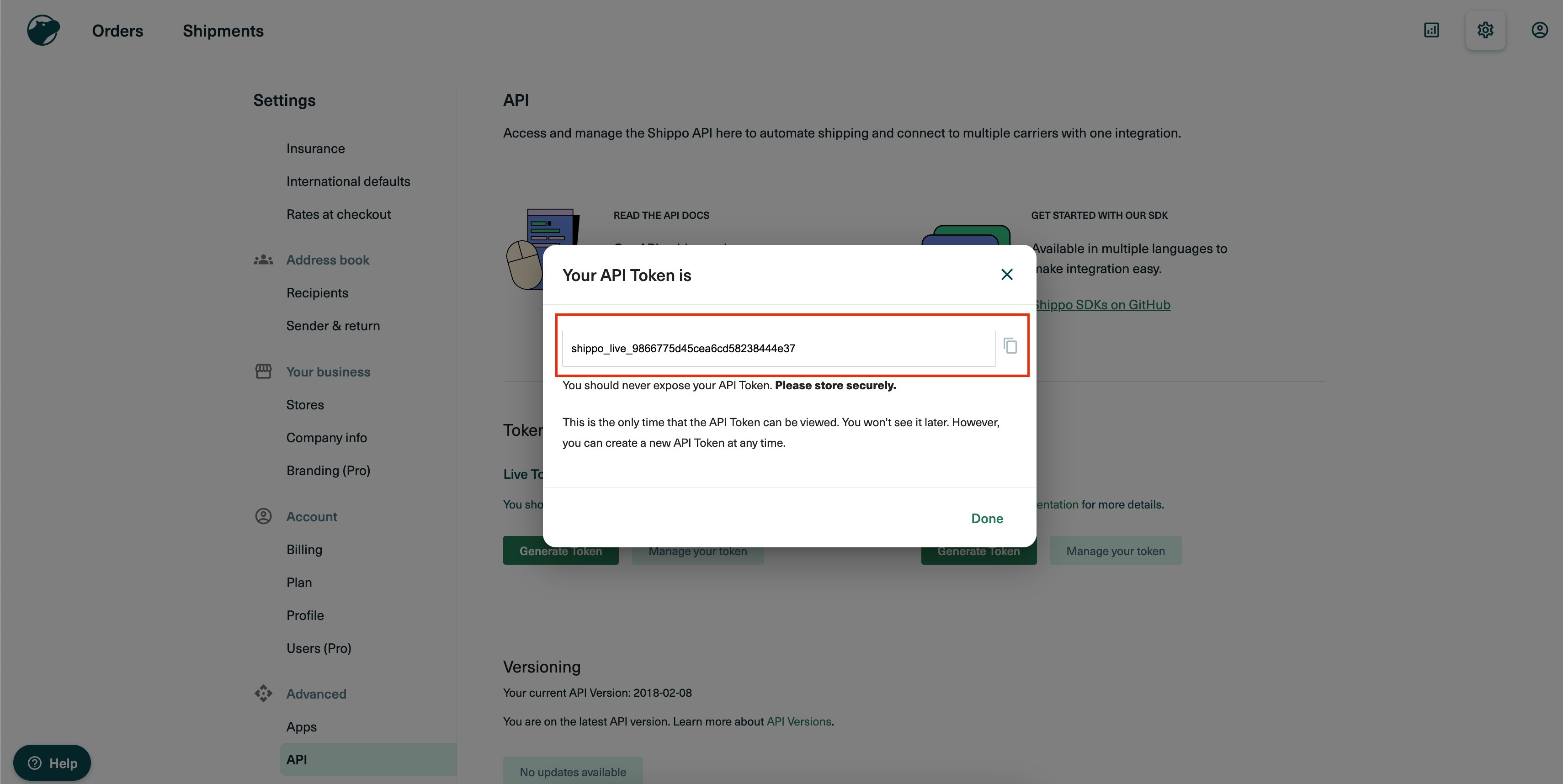
- Copy the live token:
Step 2: Setting up Package template & Shipping options in Shippo
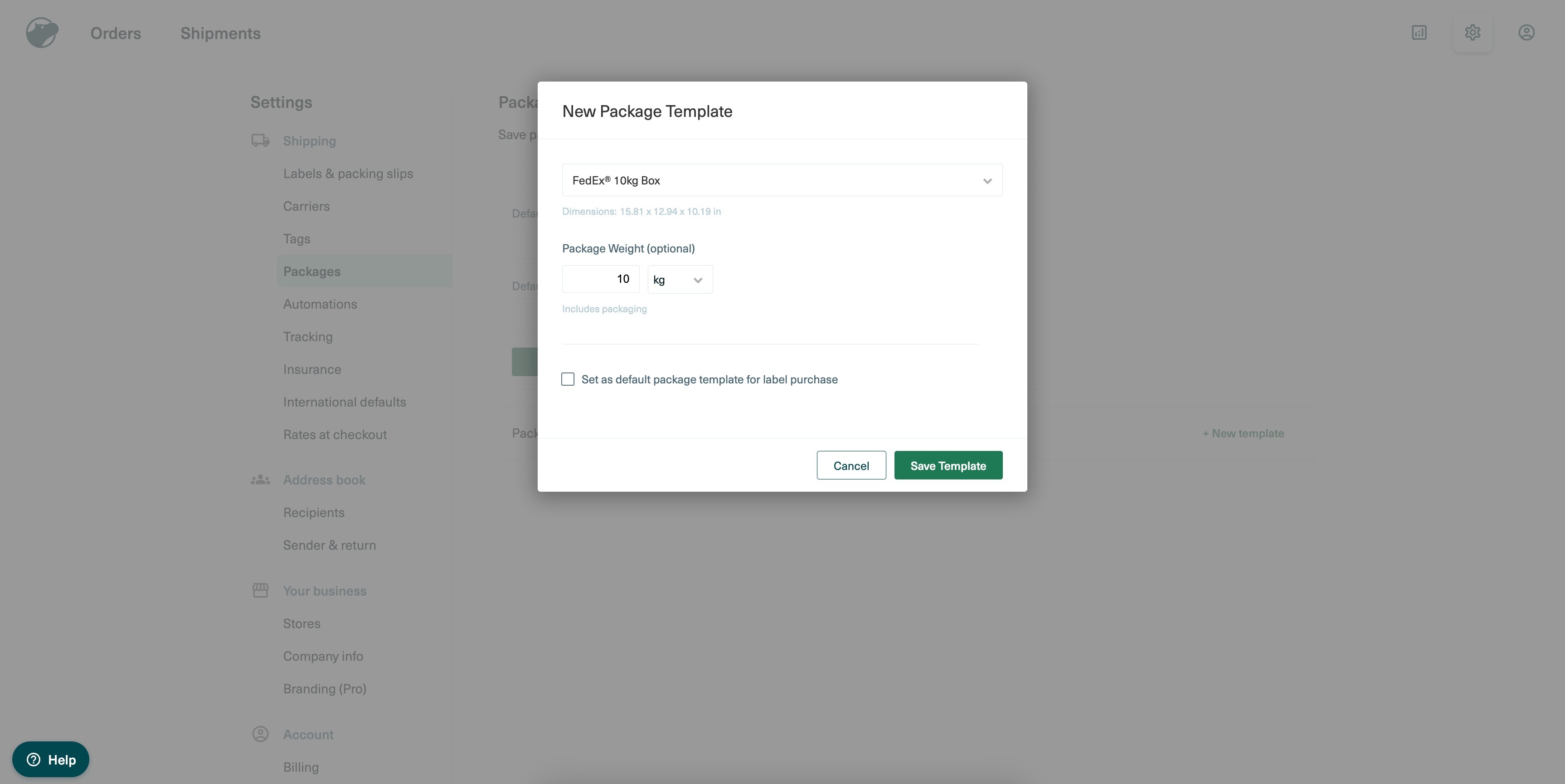
2.1. Setting up Package Template in Shippo:
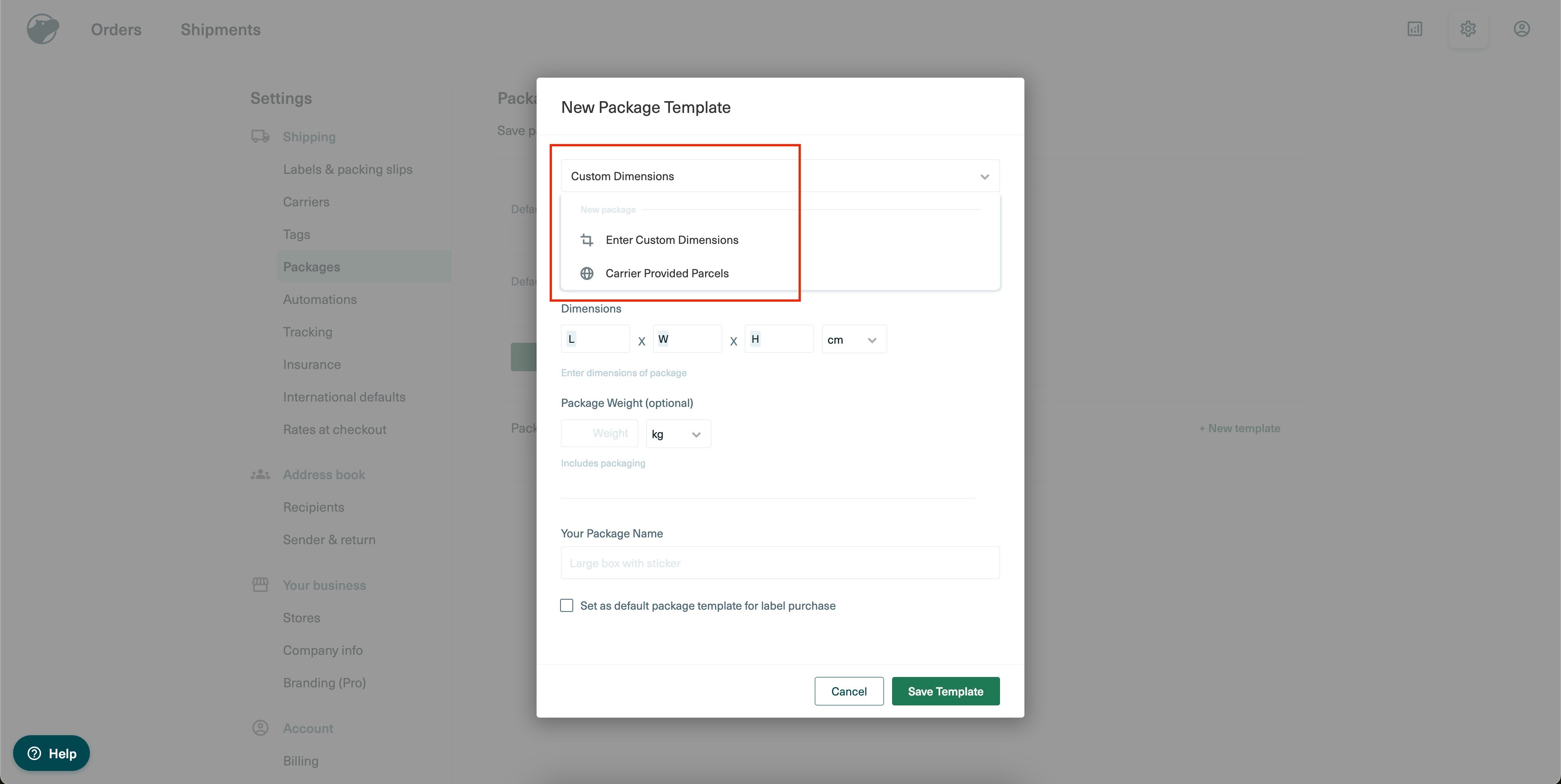
- Package Template can be accessed at : Settings > Shipping > Packages > Add New Template

- Store owners can either add a custom dimensions or choose a standard carrier provided parcel dimension:
- If standard carrier provided parcel is chosen:
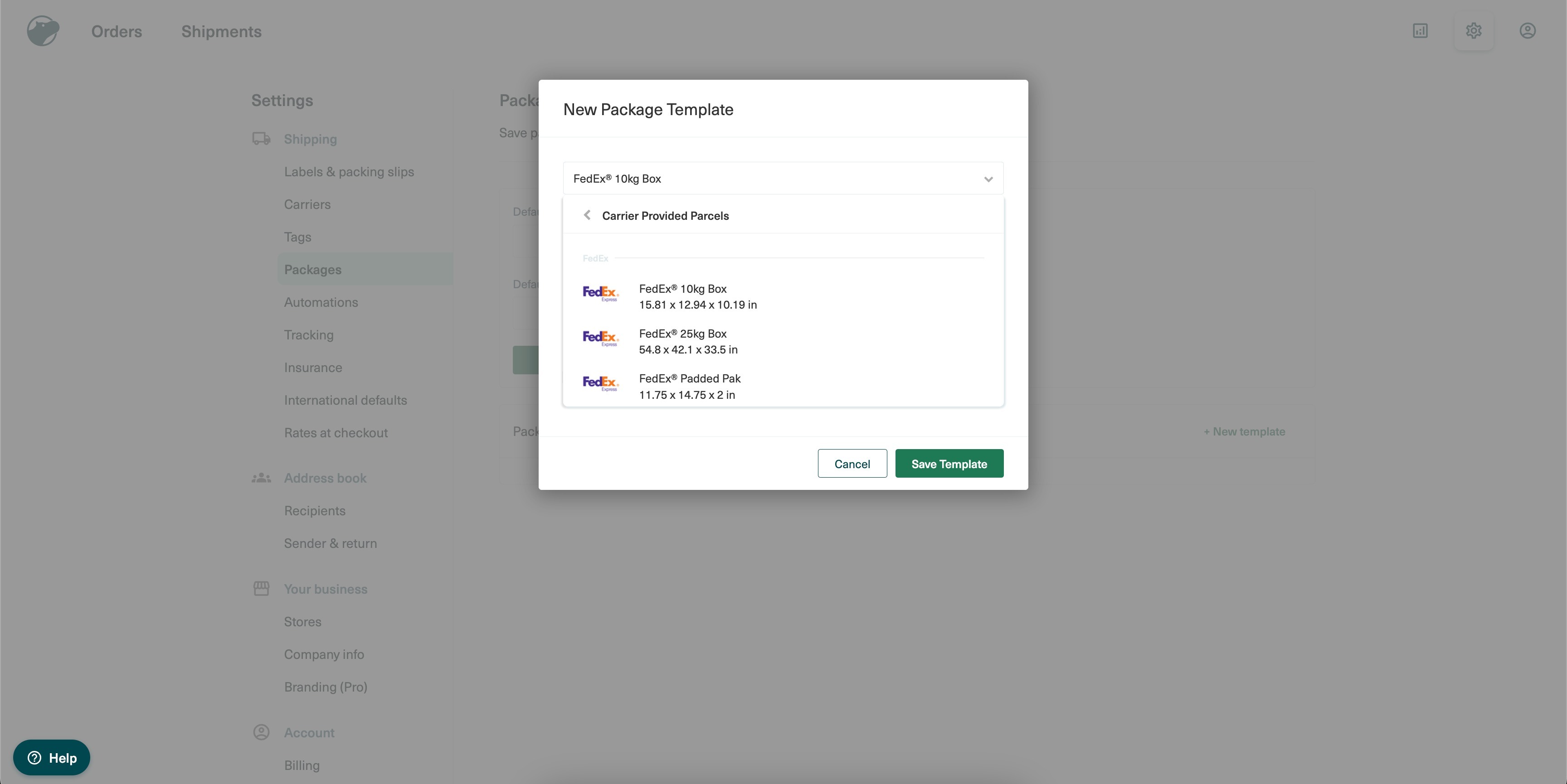
- For the carrier provided parcel, package weights need to be set here. If the current template needs to be set as default, checkbox needs to be ticked here:
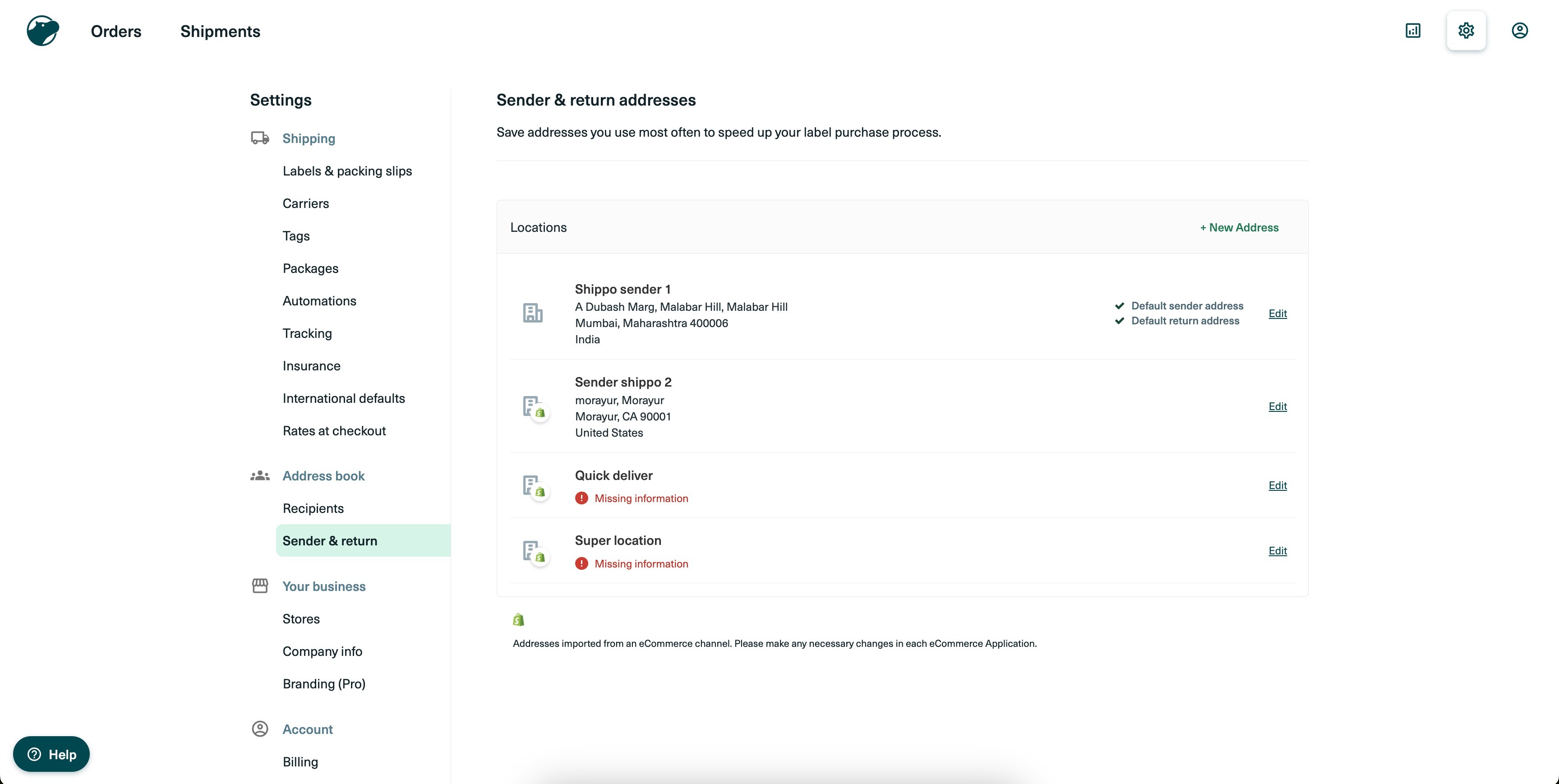
2.2. Setting up Shipping origin in Shippo:
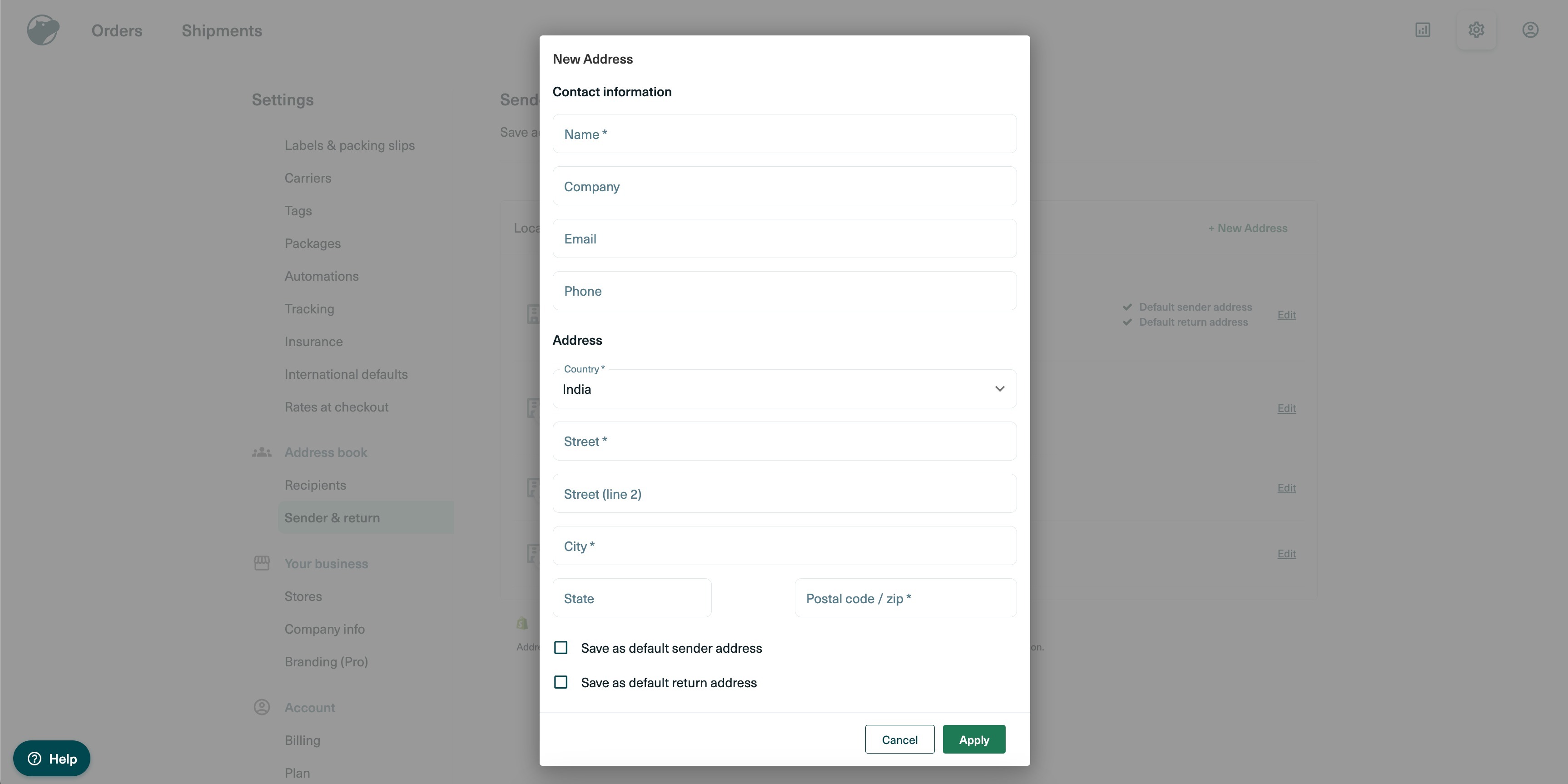
- Sender & Return address can be setup at: Settings > Address book > Sender & return > Add New address
- Add the complete address and select default sender and return address(if needed):
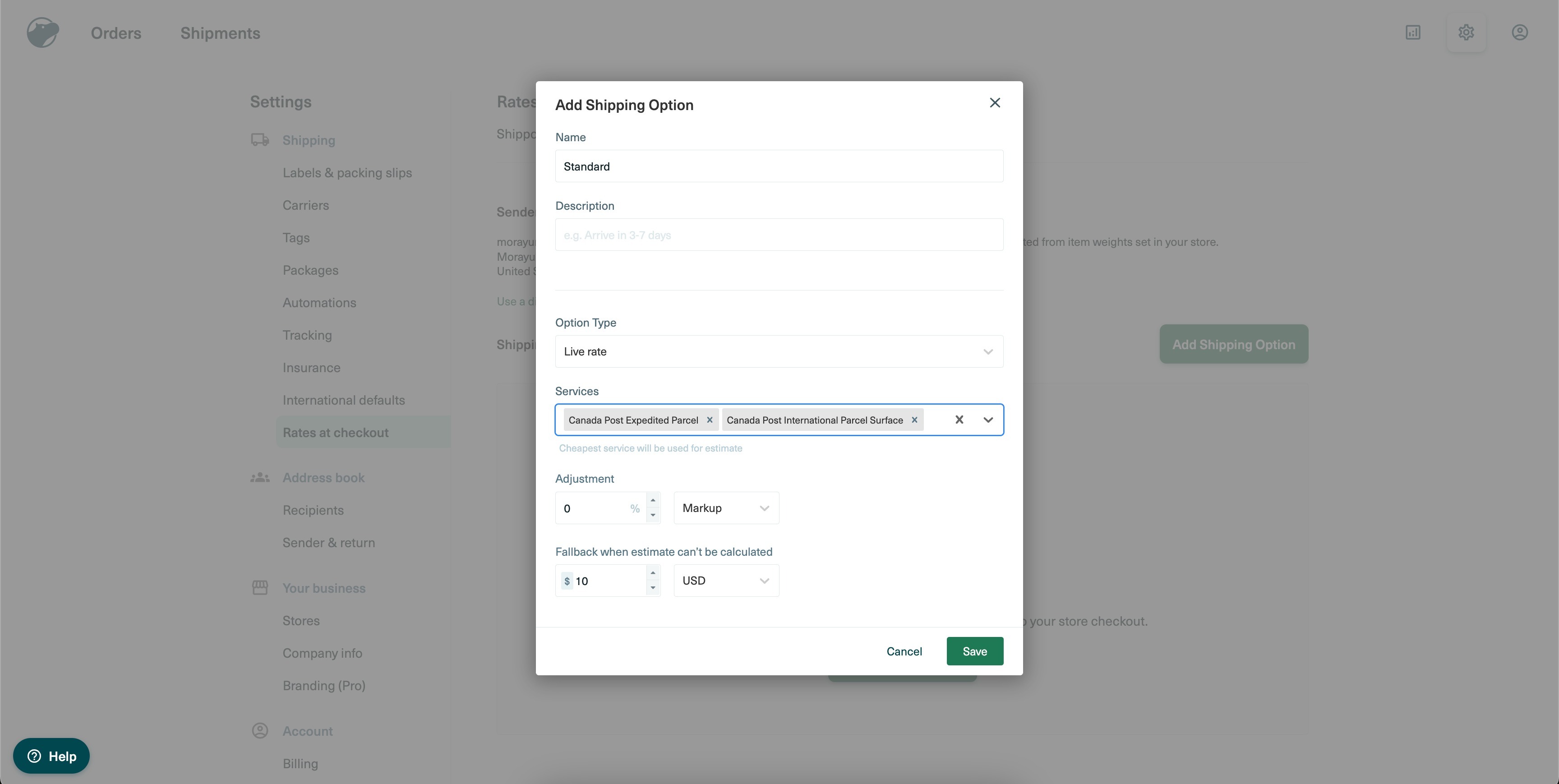
2.3. Setting up Shipping Options in Shippo:
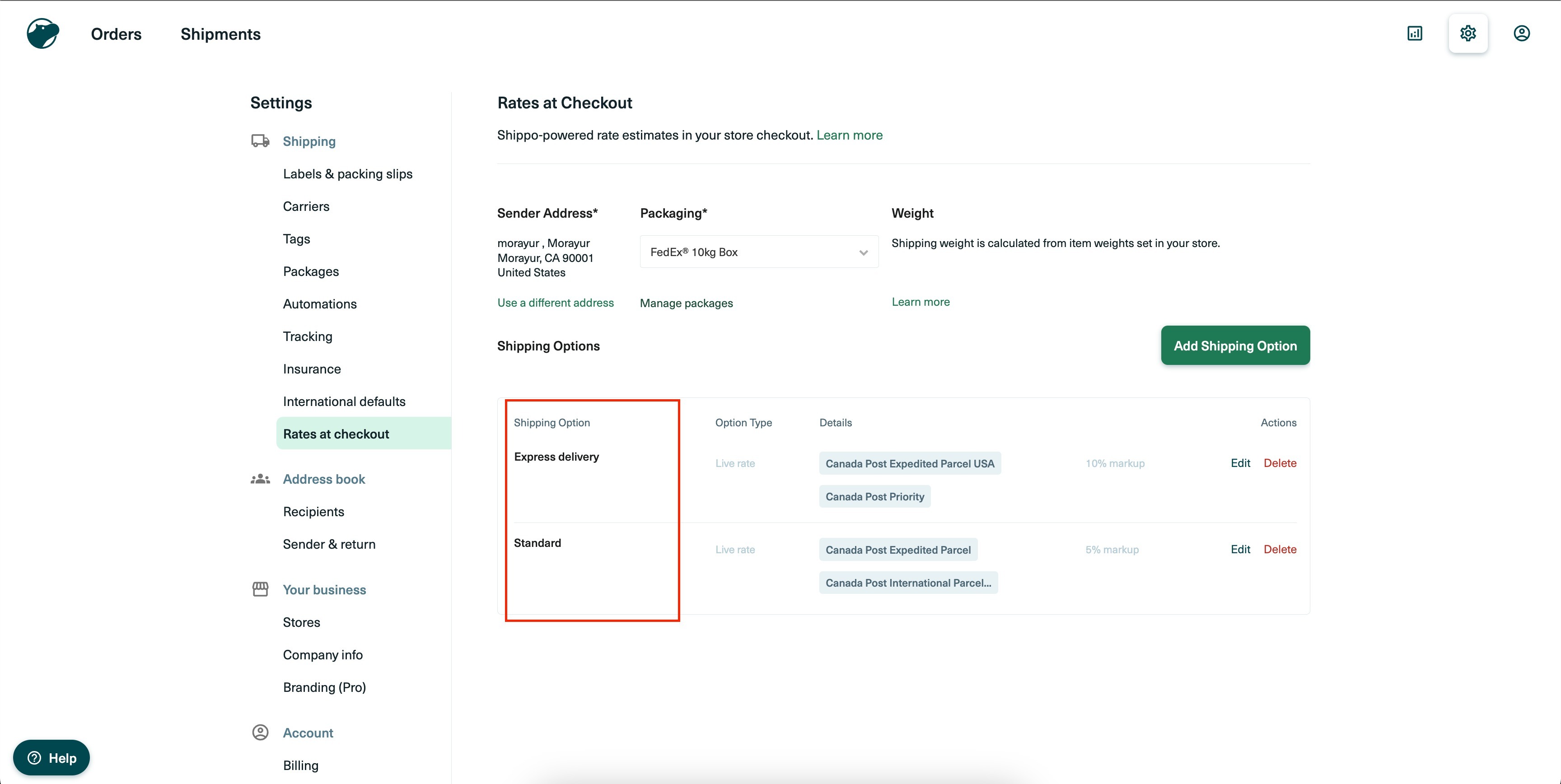
- Setup shipping options at : Settings > Shipping > Rates at Checkout > Add Shipping option
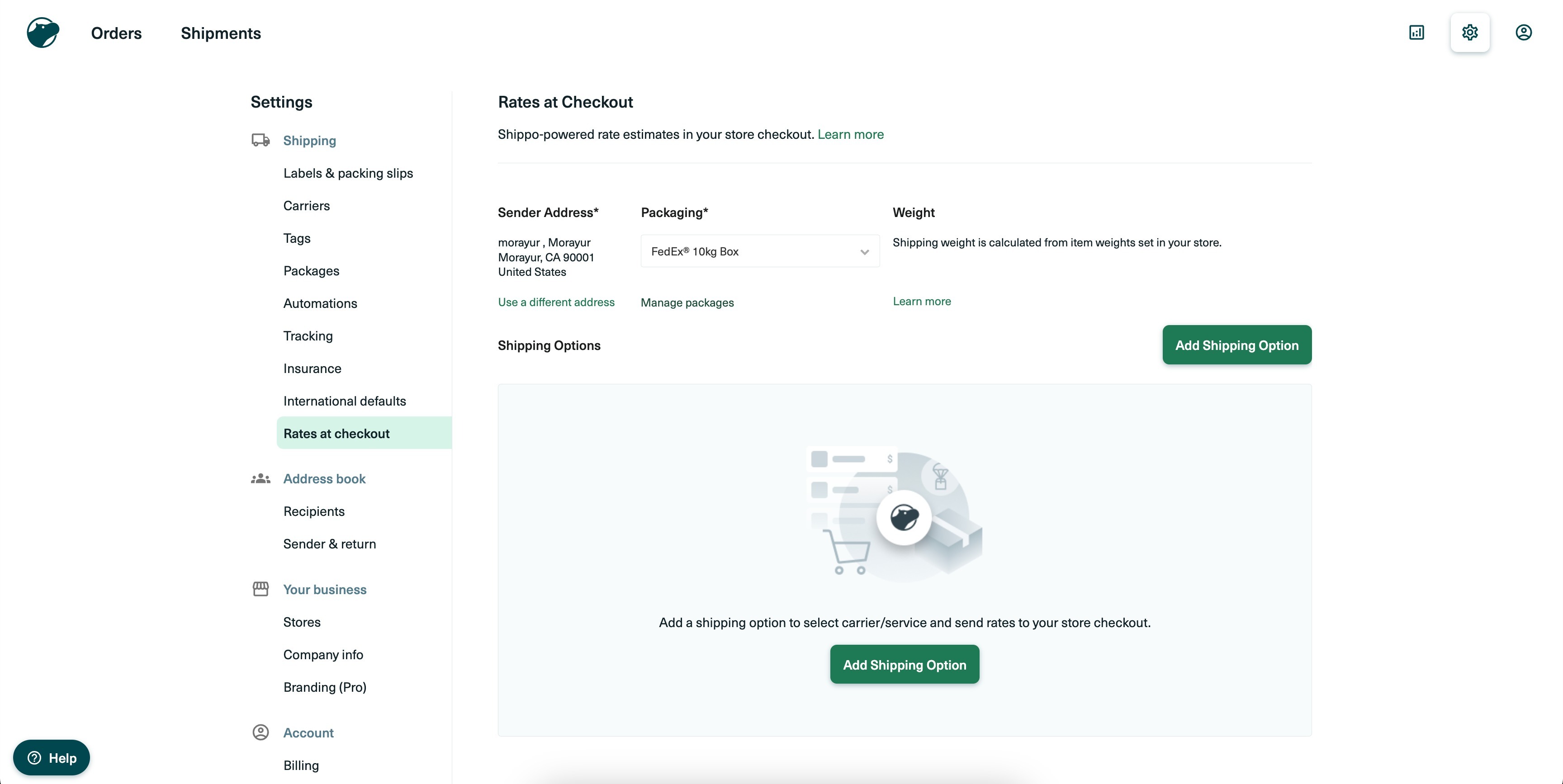
- Choose the Live rate option and select the preferred carrier services:
- Live rates on checkout page will have the name mentioned under Shipping options
Step 3: Setup Shipping Origin in Shipping Settings
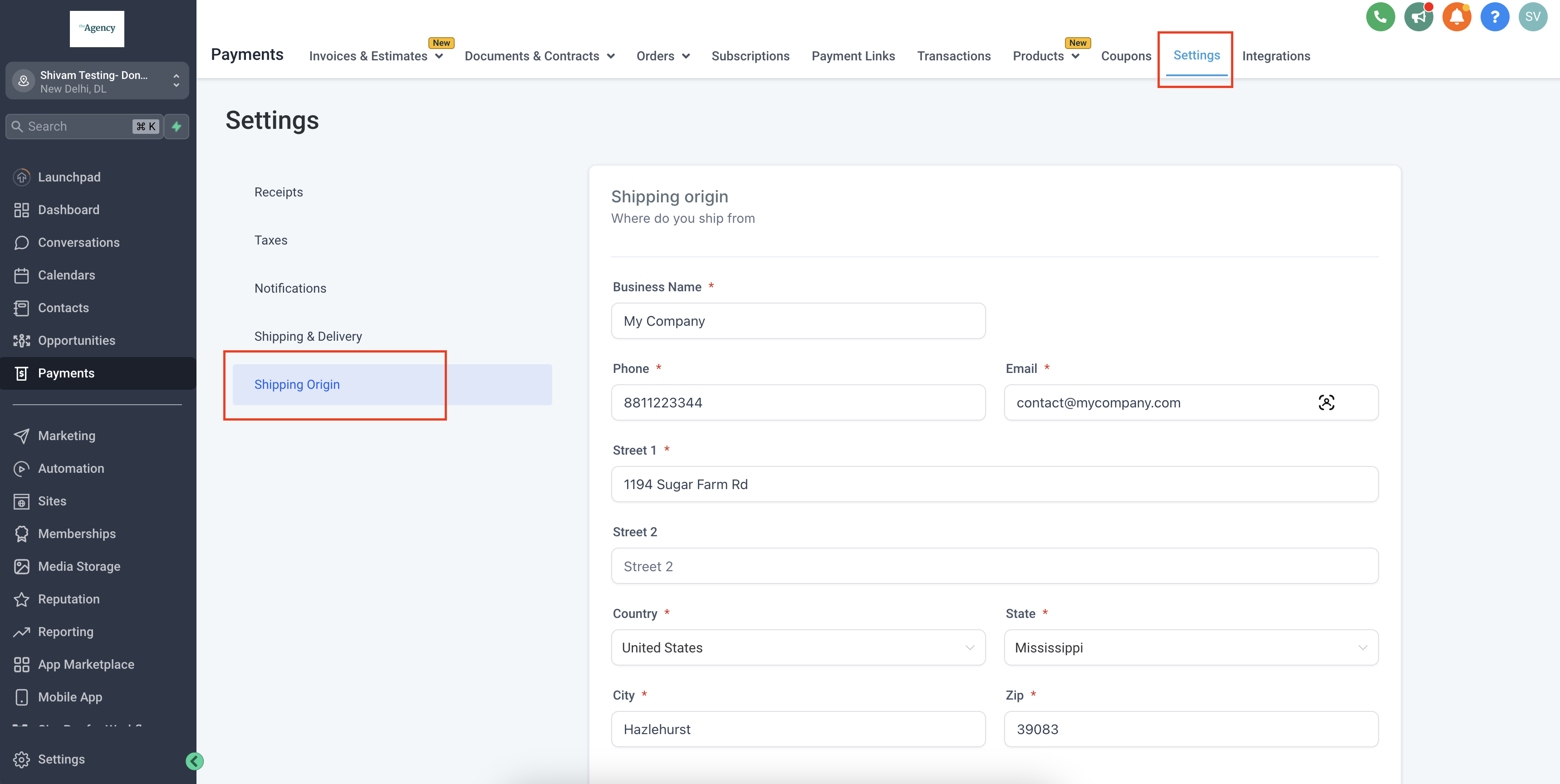
In your Ecommerce store builder application, setup the shipping origin which will be considered as Sender’s address while creating order in Shippo. This can be accessed at : Payments > Settings > Shipping Origin. Add details and save.
Note: Sender’s address should be a valid address to generate live shipping rate.
Step 4: Install Shippo app from marketplace
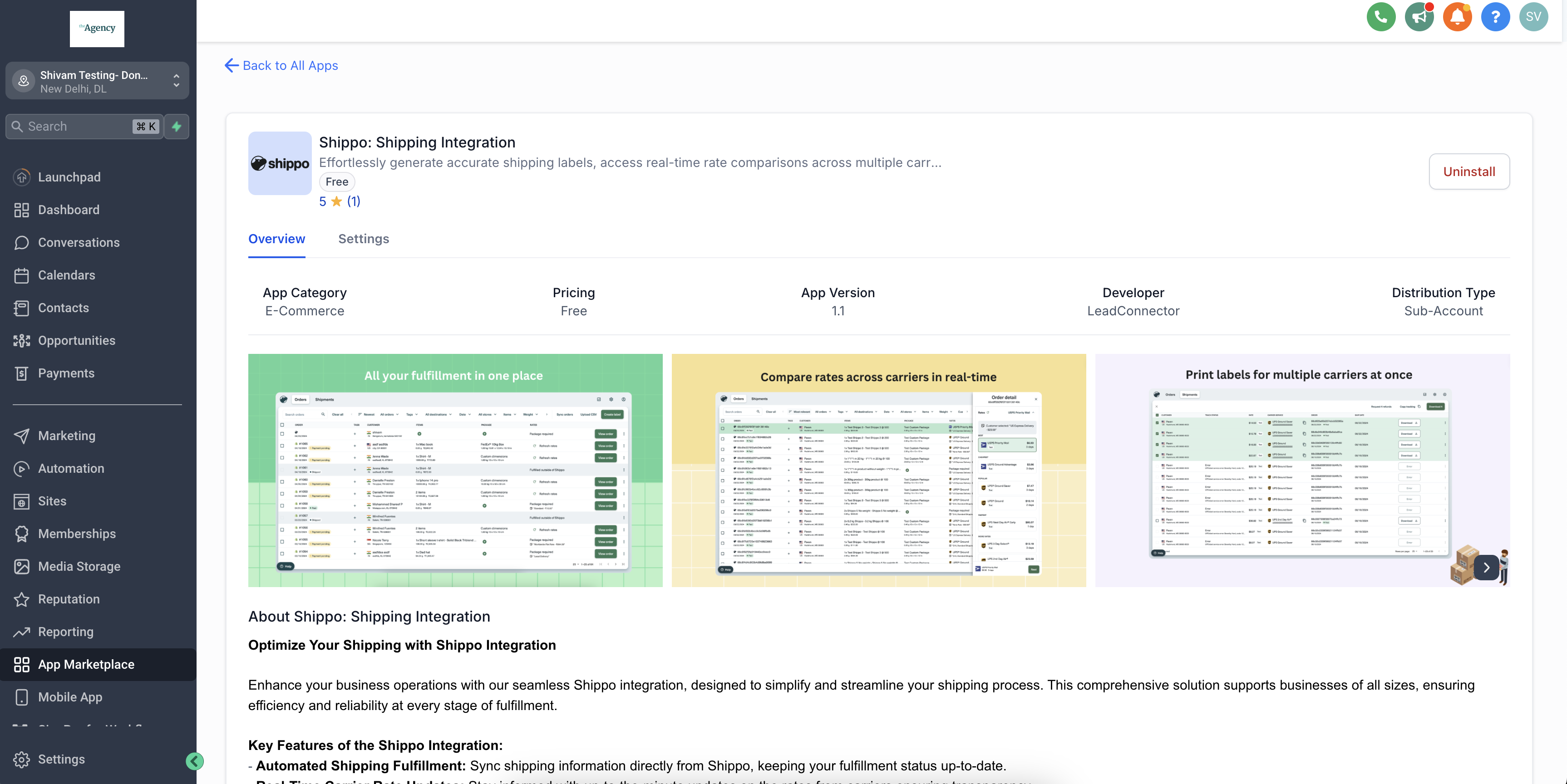
To start using Shippo Official Integration by Leadconnector :- App Marketplace > Search “Shippo: Shipping Integration” > Install.
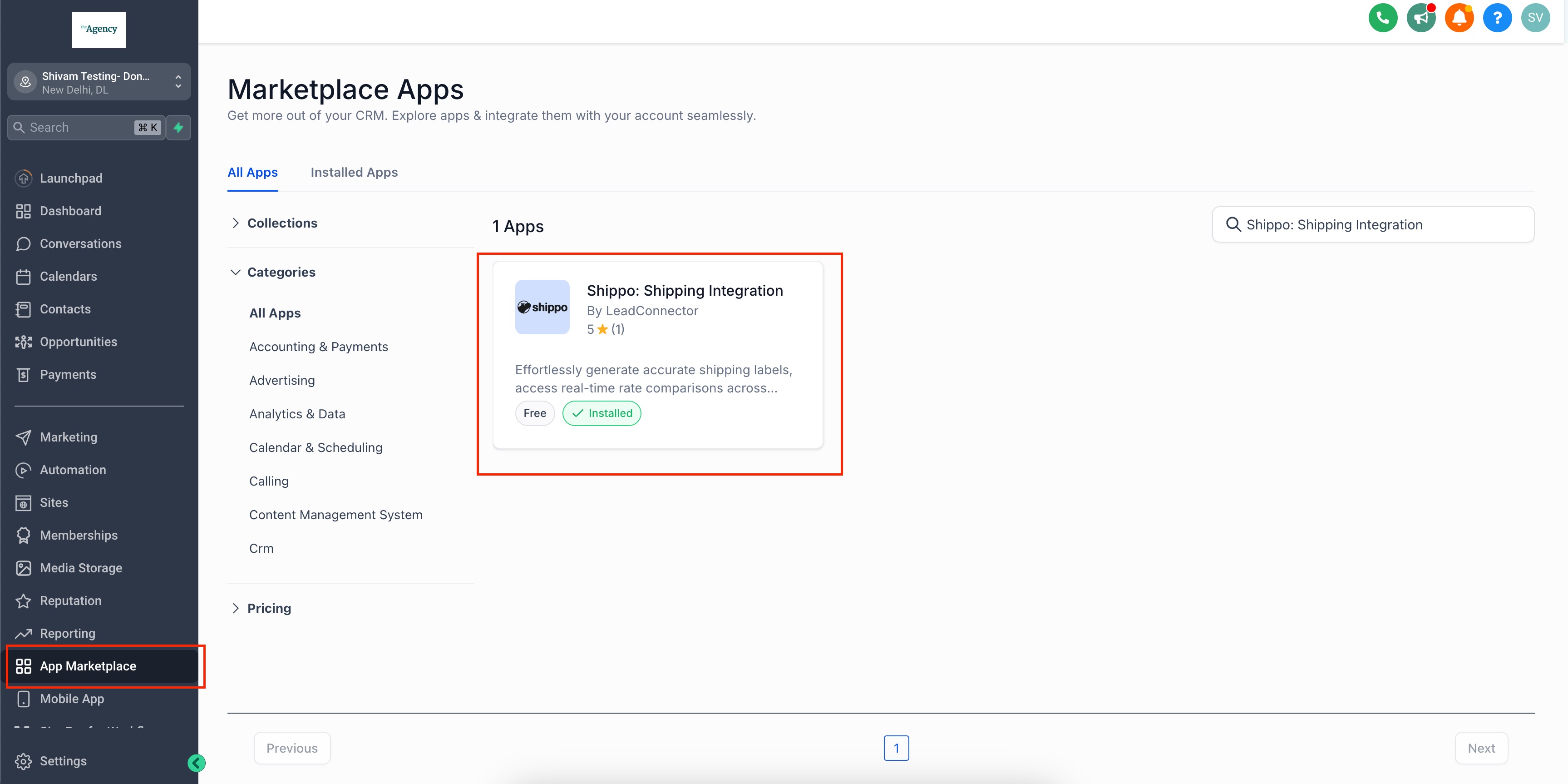
Once installed, add the Live token to continue.
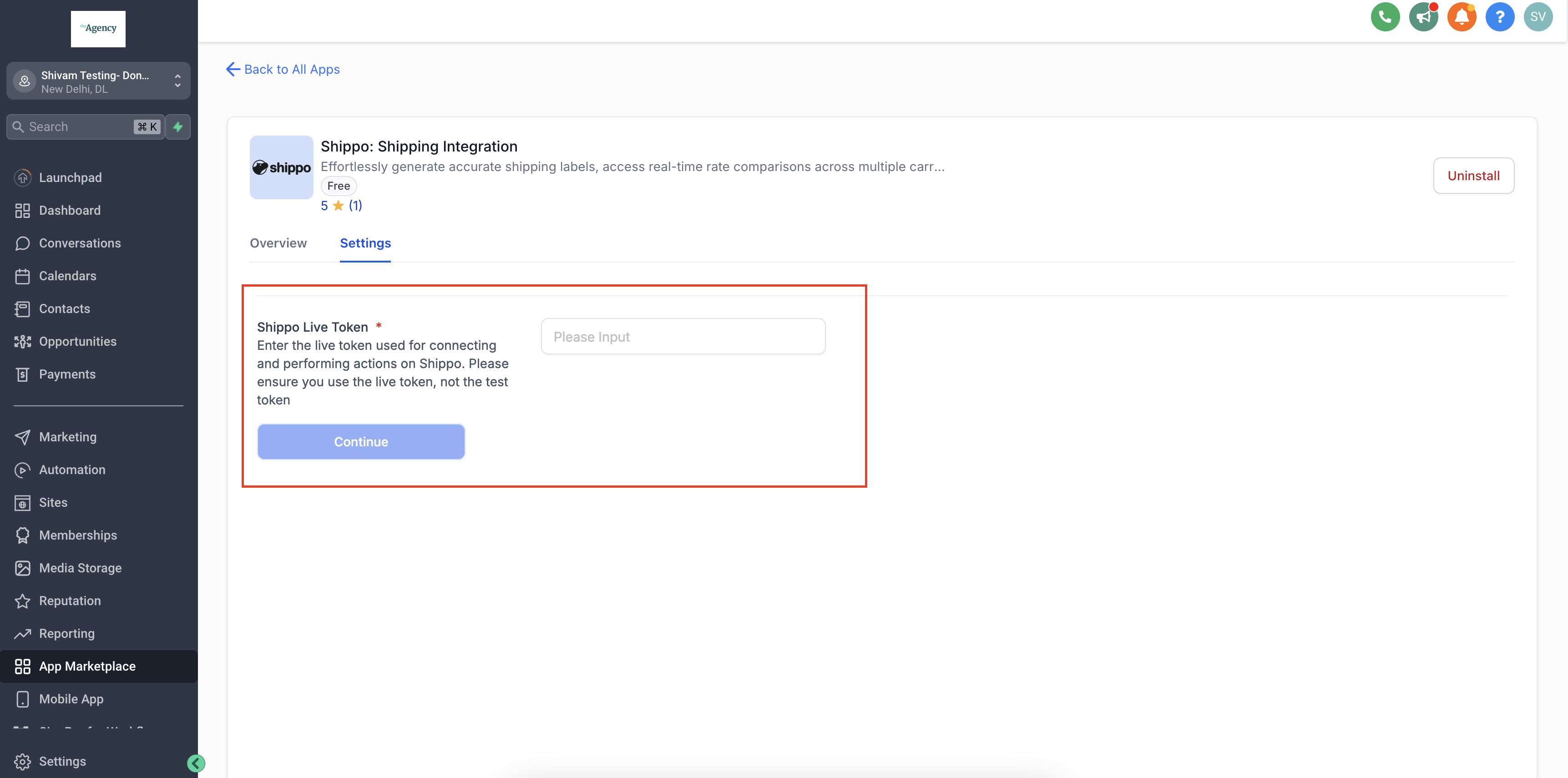
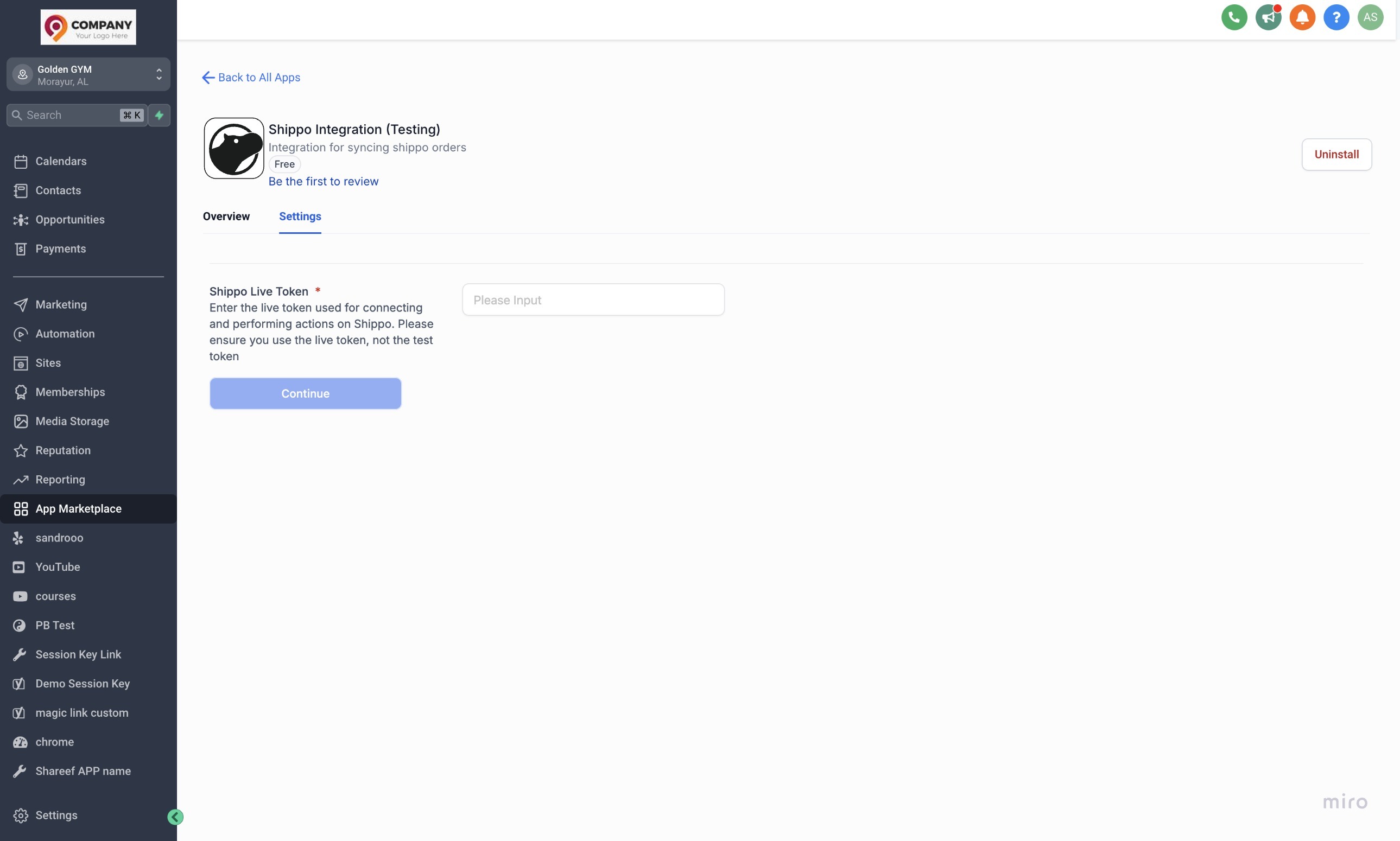
Step 5: Enter the Shippo live token & continue
- Enter the live token that was generated in Step 1:
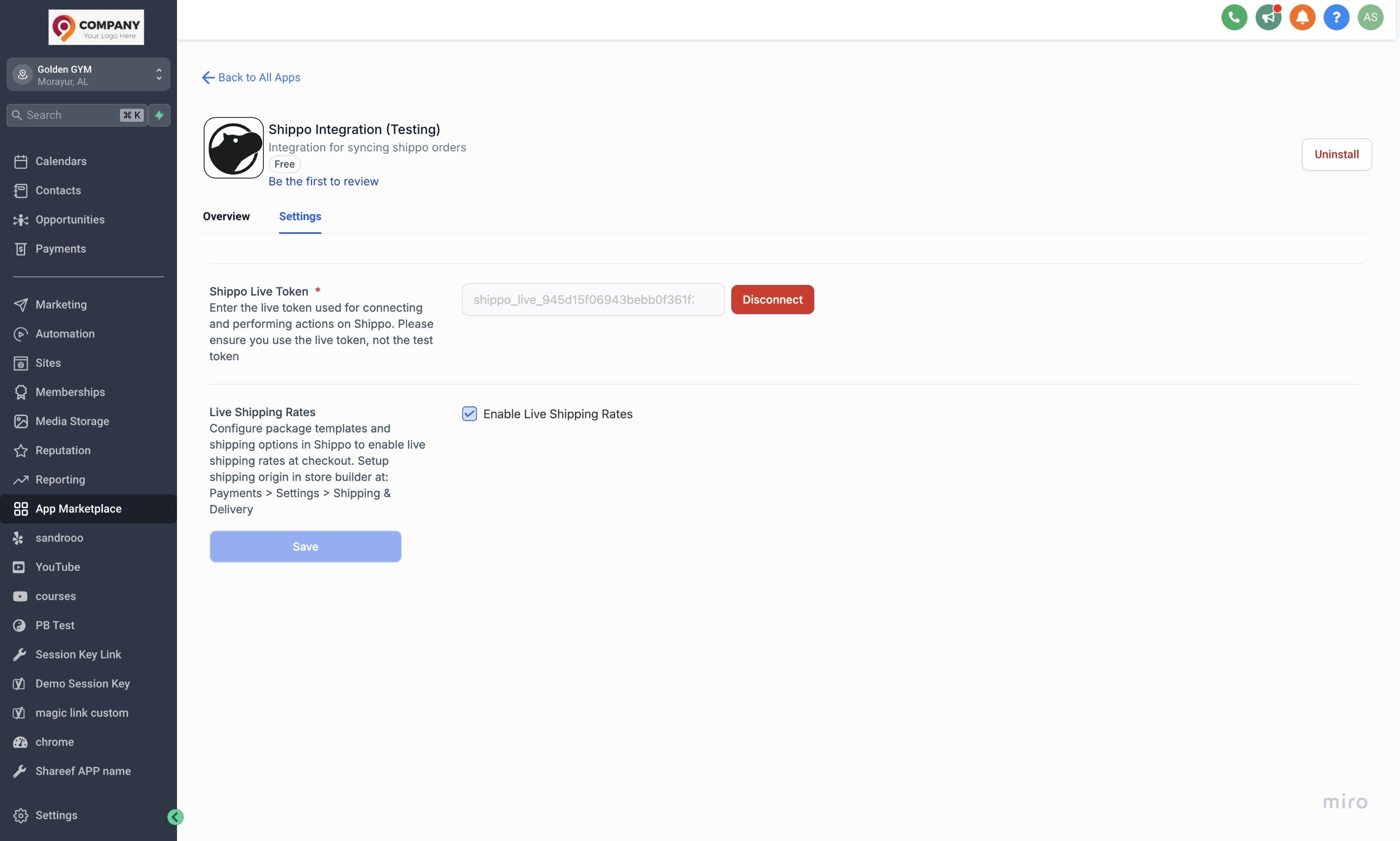
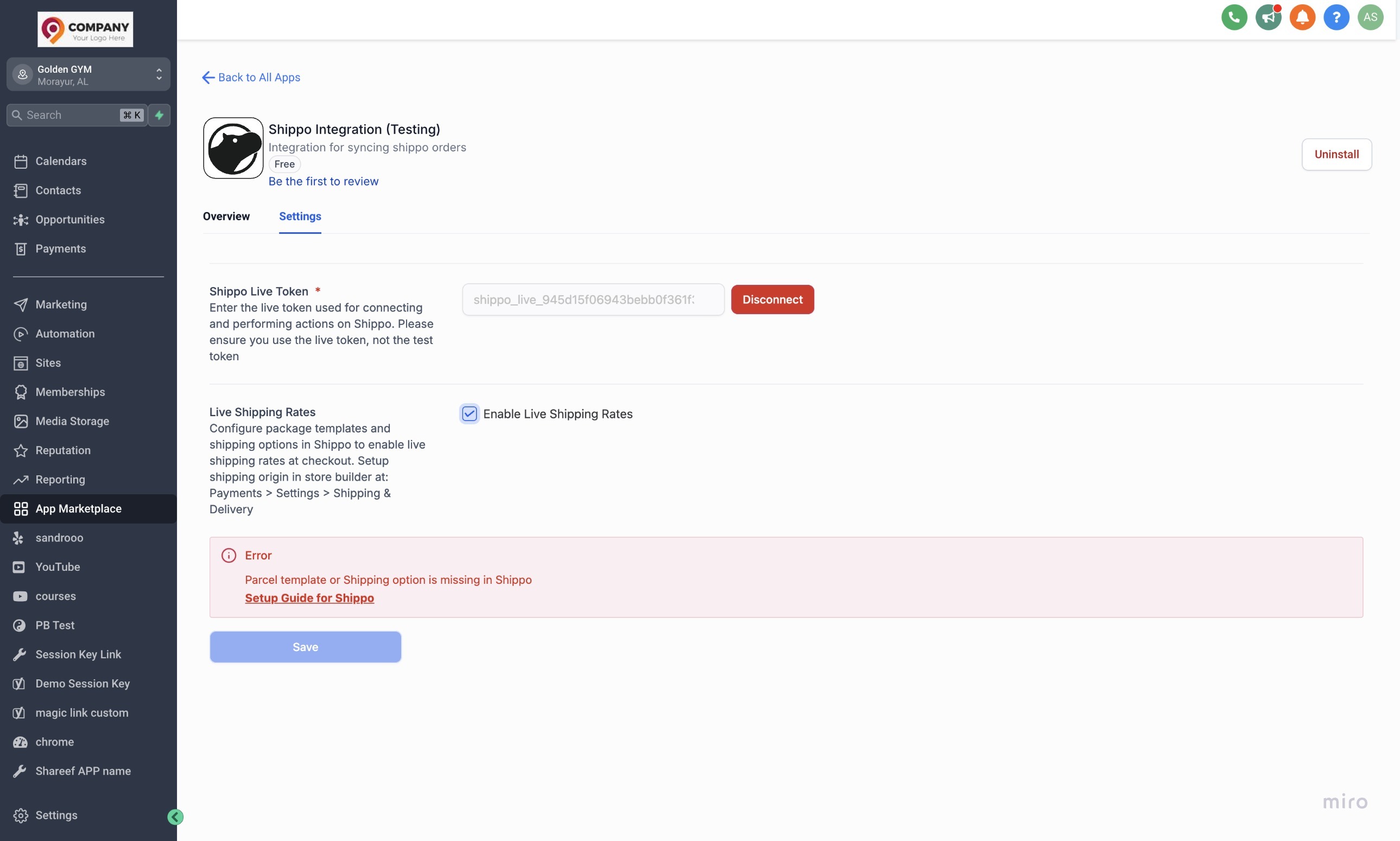
- Enable live rates in shipping after setting up the package template, Shipping origin and Shipping options in Shippo:
- If something is missing while setting up package template, Shipping origin and Shipping options in Shippo, following error will popup:
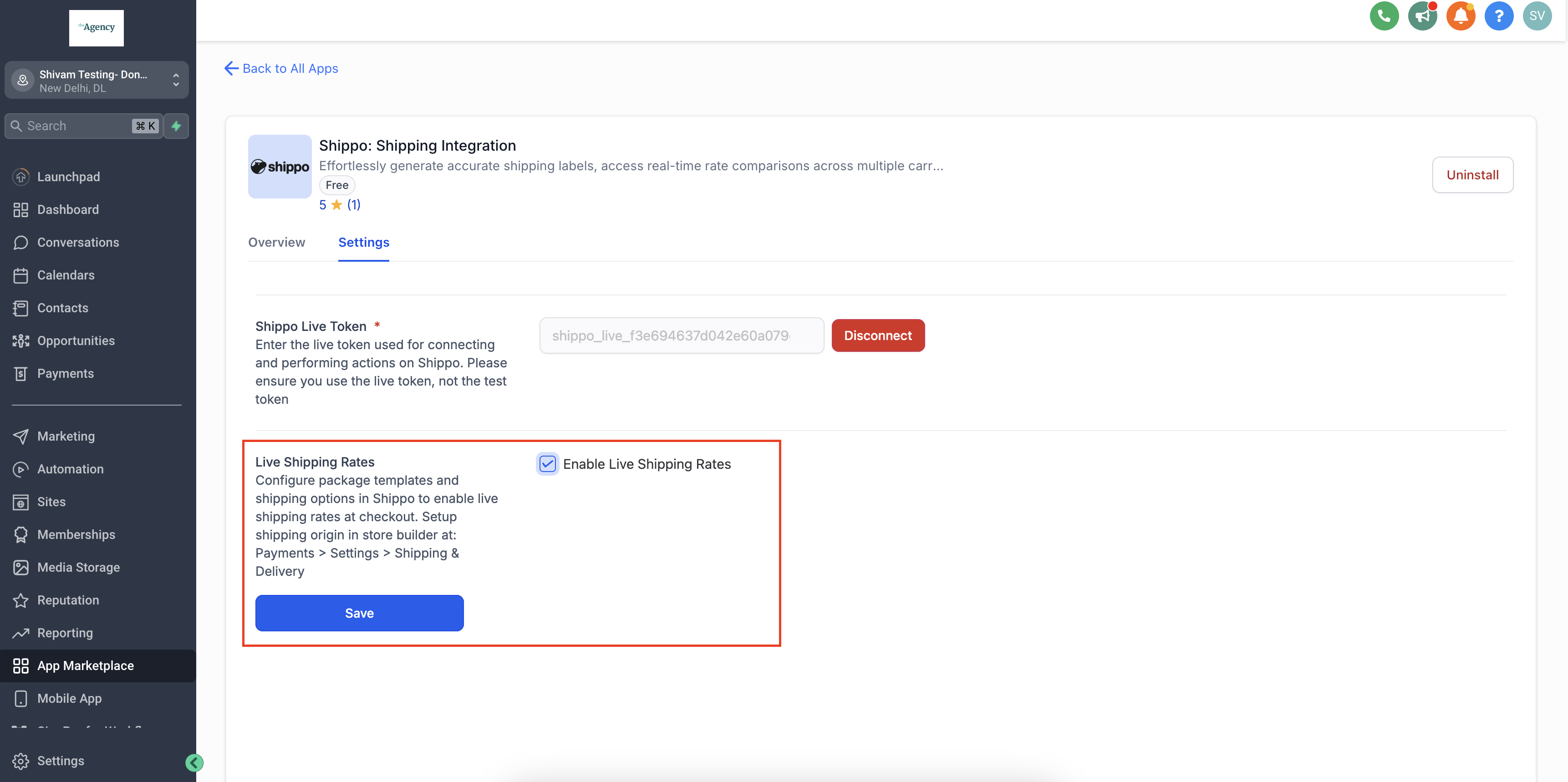
Step 6: Enable/ Disable live shipping rates
Shipping rates can be enabled and disabled by ticking and unticking the checkbox respectively. Post enable/ disable of live shipping rates, click Save.
Step 7: Add Product Weights
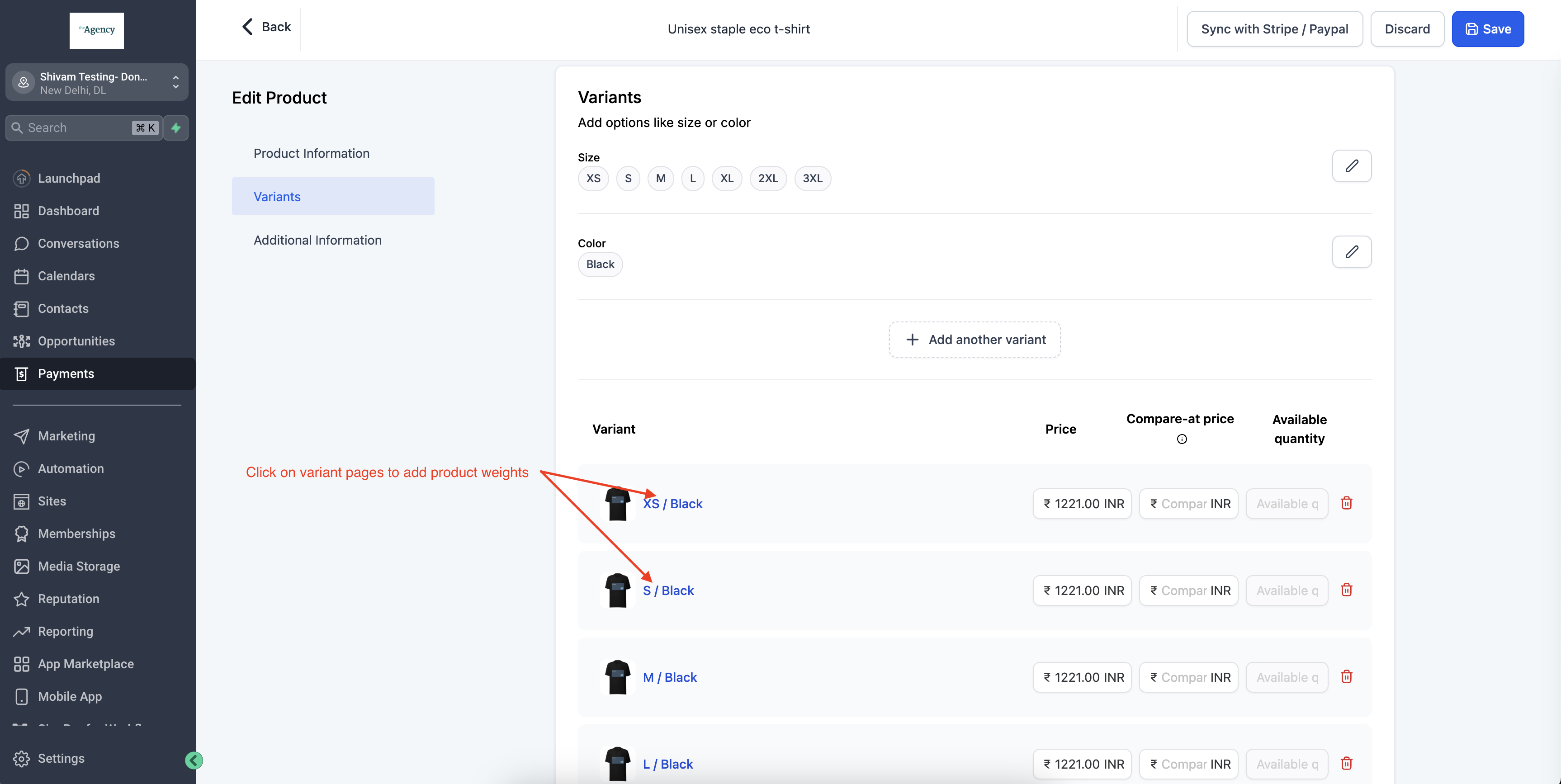
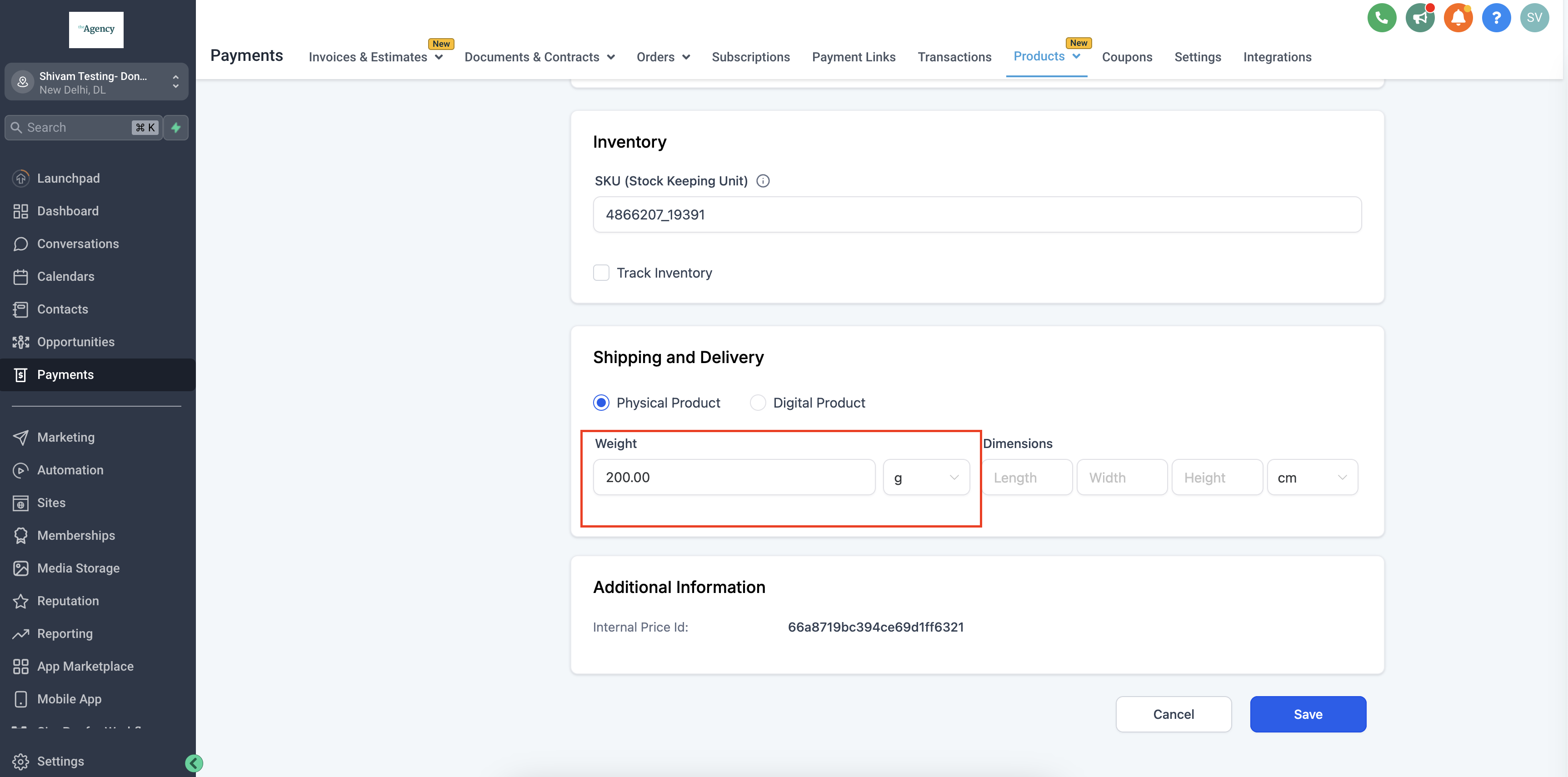
To ensure accurate shipping rates in your eCommerce store, it’s essential to add product weights on the product details page. Navigate to Payments > Products > Variants > Shipping & Delivery > Weight. If your product has multiple variants, you must specify the weight for each variant individually on its details page. This step is crucial for obtaining live shipping rates from Shippo during checkout; otherwise, a flat shipping rate will apply.
Important Notes:
- Shippo Setup: Ensure live rates at checkout by configuring Shipping options, Parcel templates, and Sender & Receiver addresses in Shippo. Live rates can only be enabled if the Shipping Options and Parcel templates have been setup.
- Live Token Generation: Only a live token can connect your Shippo account to your eCommerce platform for fulfillments and live shipping rates.
- Product Weight addition: Product weights need to be added in product details page in your Ecommerce store platform at Payments > Products > Variants > Shipping & Delivery > Weight. In case the product has multiple variants, product weights needs to be defined for variants in the variant details page to get live rates from Shippo at the time of checkout, otherwise it will throw a flat shipping rate.