

This feature allows agency admins to easily share and manage email templates using a simple link. Follow this guide below to learn how to share templates and socialise to build an ecosystem of well performing emails.
TABLE OF CONTENTS
Benefits:
- Best Practices: Easily share and standardize templates across the agency.
- Design Editor Access: Work directly with editable templates, no need to download HTML files.
How to Use:
- Go to Templates under Email Marketing.
- Click the three dots next to a template and select Share.
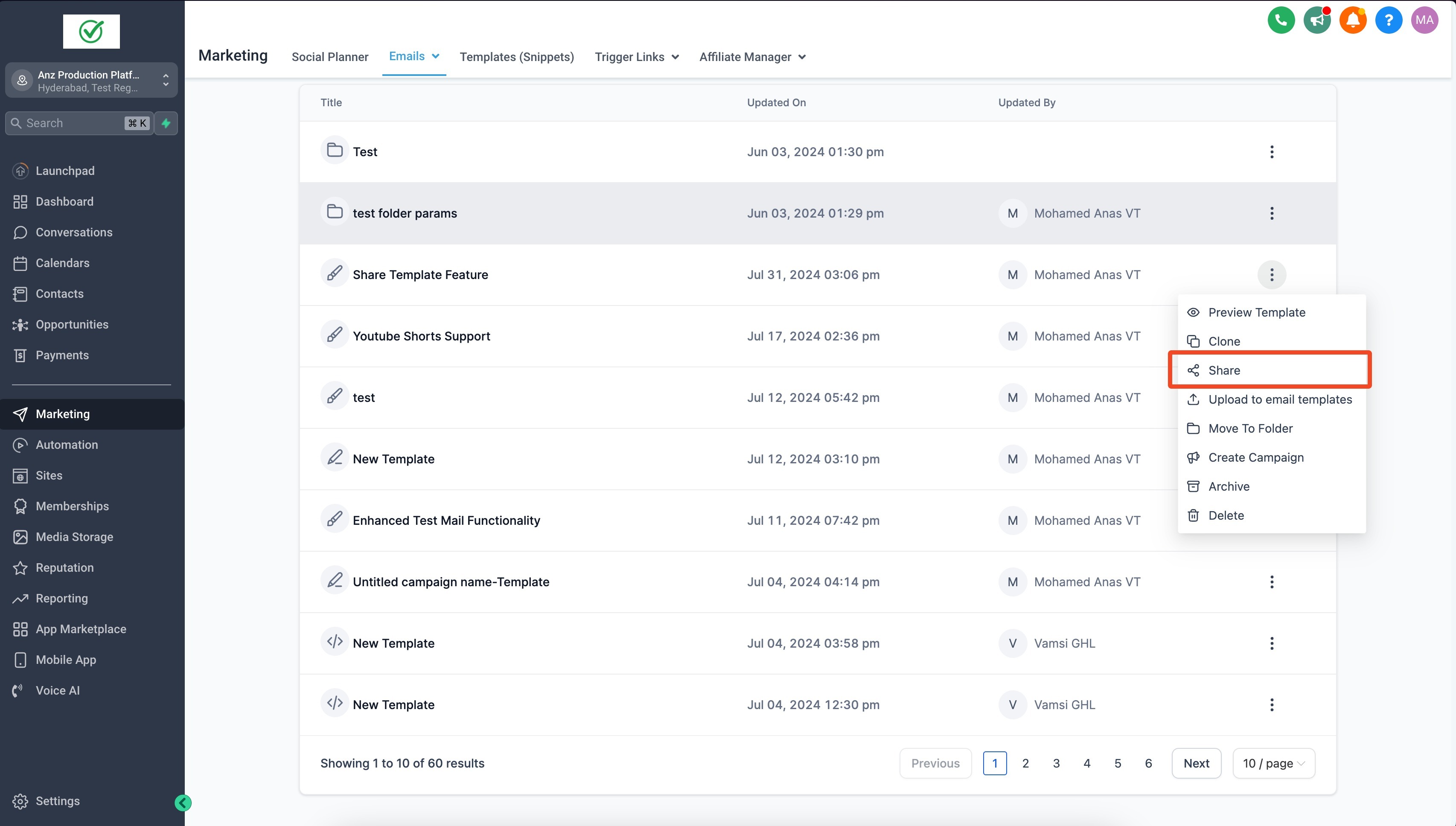
- Set access to anyone within the agency or with the link.
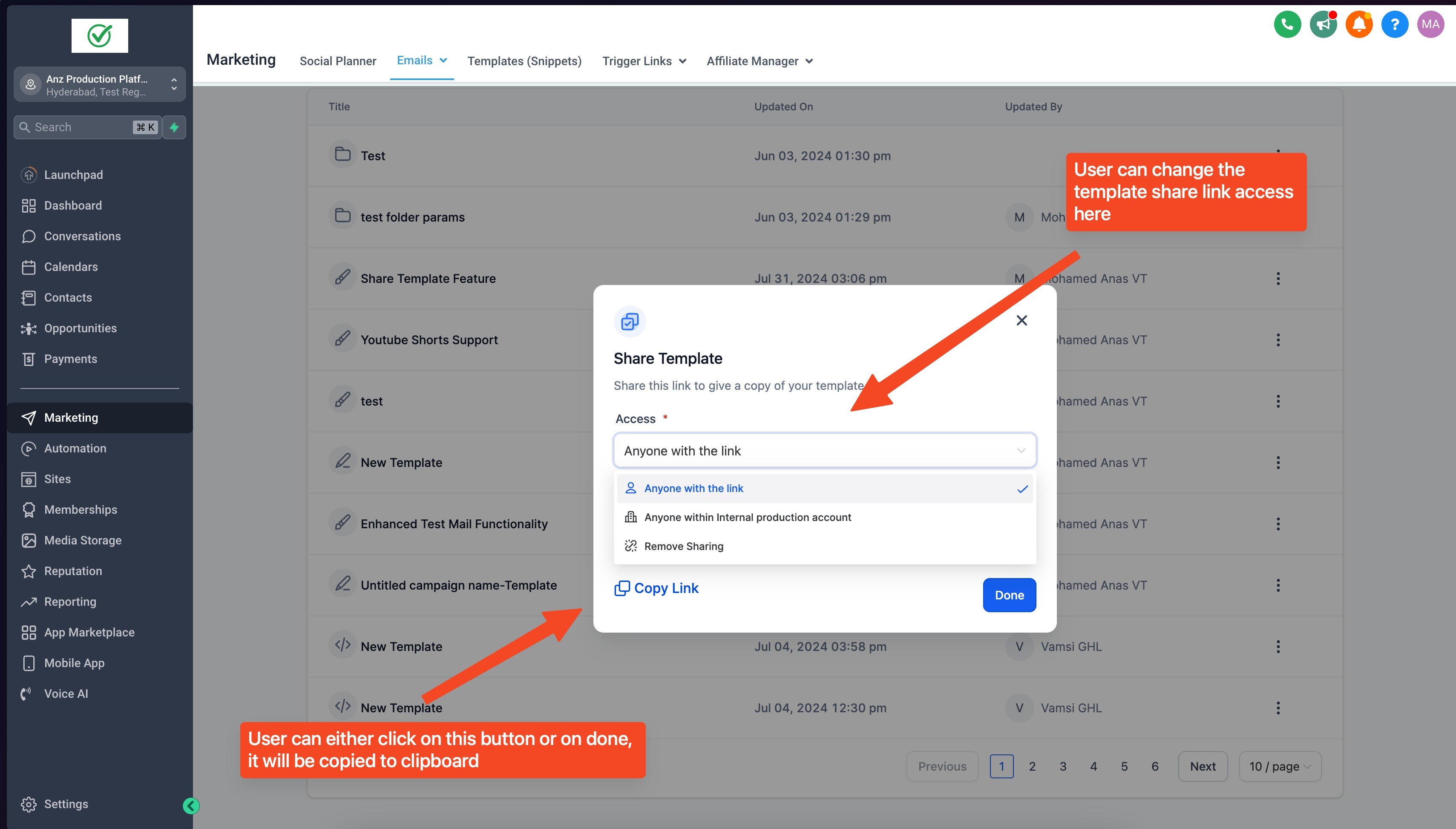
- Share the link via email or other channels.
- Paste the link in your browser and click Add Template to save the copy of the shared
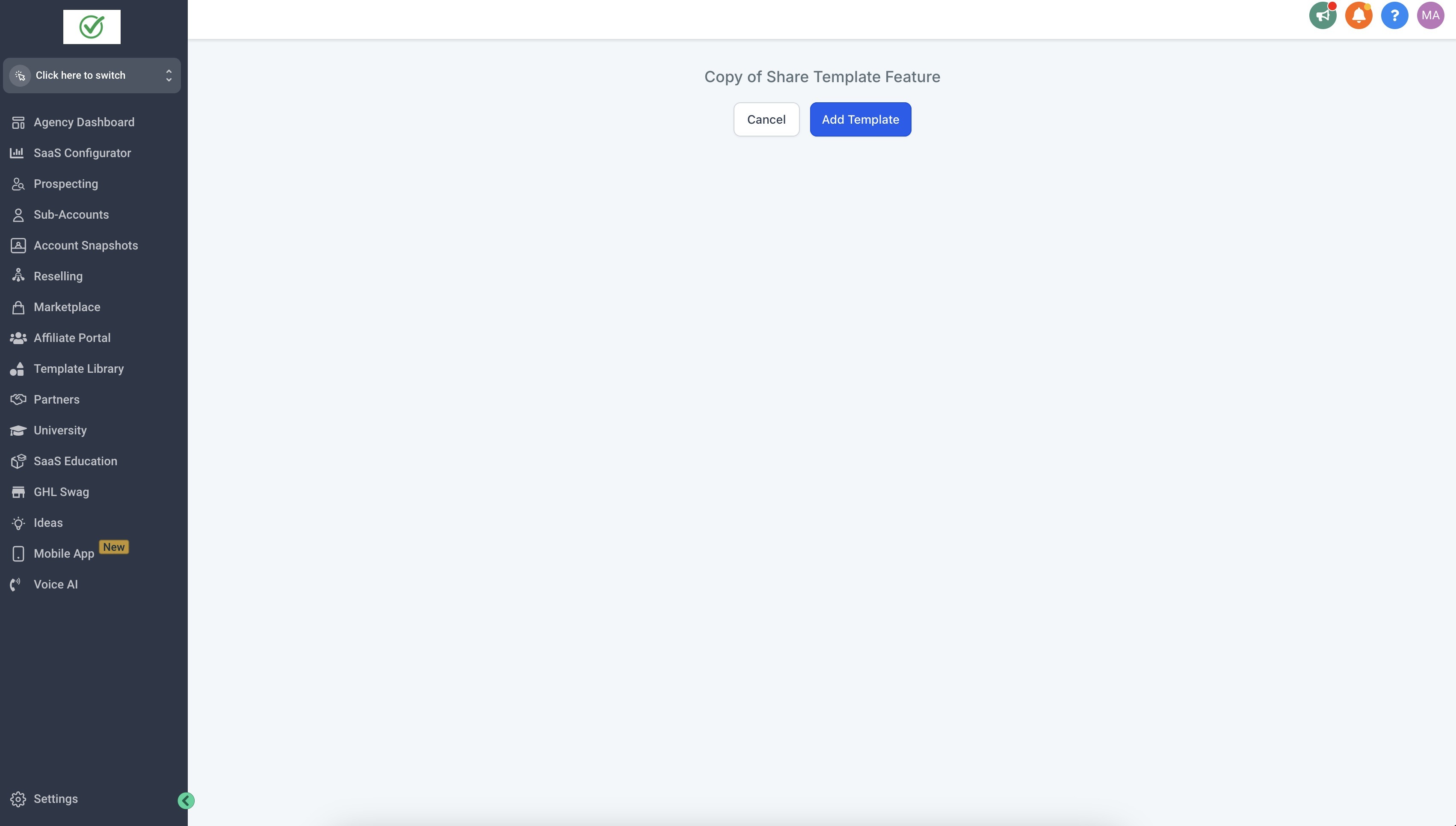
template
- Edit the template name, choose a sub-account, and click Clone template.
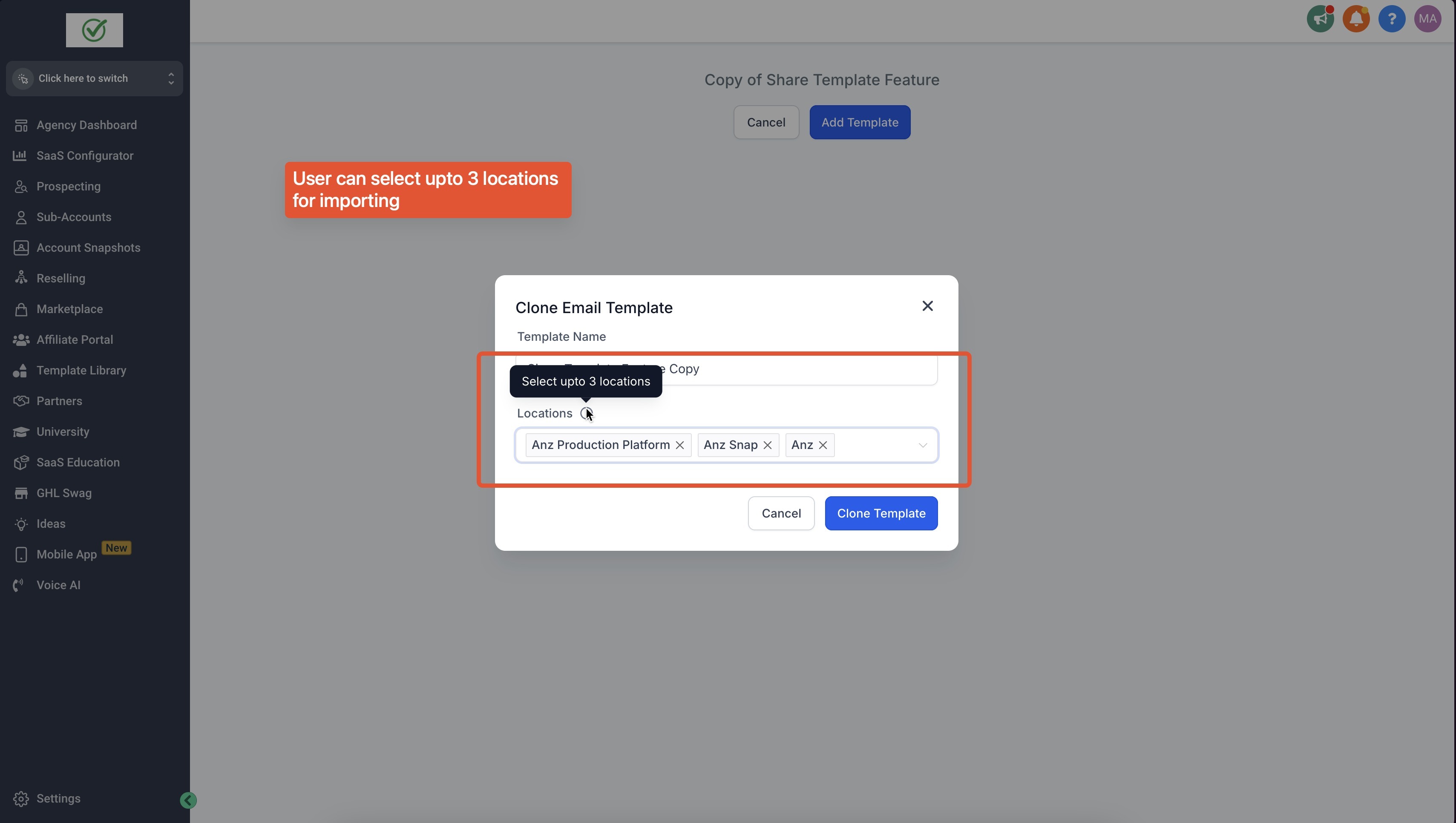
You can select upto three location.

- You would be redirected to the Templates section of the first chosen location. The shared template would now be part of the list.
Note:
Only Agency Admin/ user can share a template. Agency admin, Agency user and Accou