

Learn how timezone adaptation determines the timezone used for email, funnel, and website timers, how the fallback timezone works, how to enable the setting, and when to use localized deadlines.
What Is Timezone Adaptation in Countdown Timers?
Use Timezone Adaptation when a countdown timer should follow the viewer’s local timezone instead of always using the timezone selected during timer setup. The configured timer timezone remains the fallback when the contact or visitor timezone cannot be determined.
How Timezone Is Determined
The timezone source depends on where the countdown timer is displayed.
| Placement | Timezone Source | Fallback |
| Contact timezone | Timer’s configured timezone | |
| Funnel / Website | IP-detected visitor timezone | Timer’s configured timezone |
Fallback behavior: If contact timezone or IP-detected timezone data is unavailable, the timer uses the timezone selected during timer setup.
How To Enable Timezone Adaptation
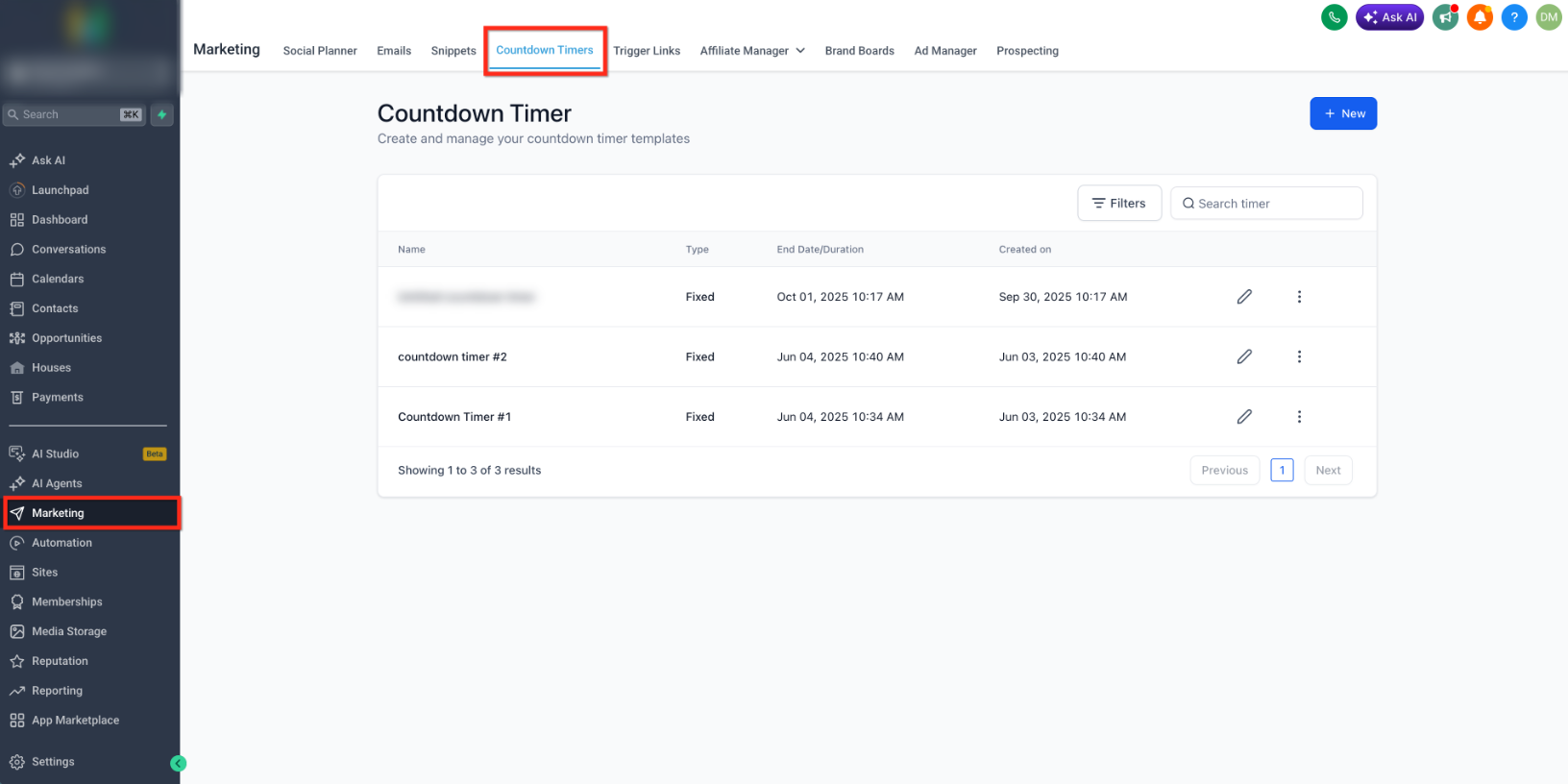
- Go to Marketing → Countdown Timersand open the countdown timer you want to update, or create a new one.
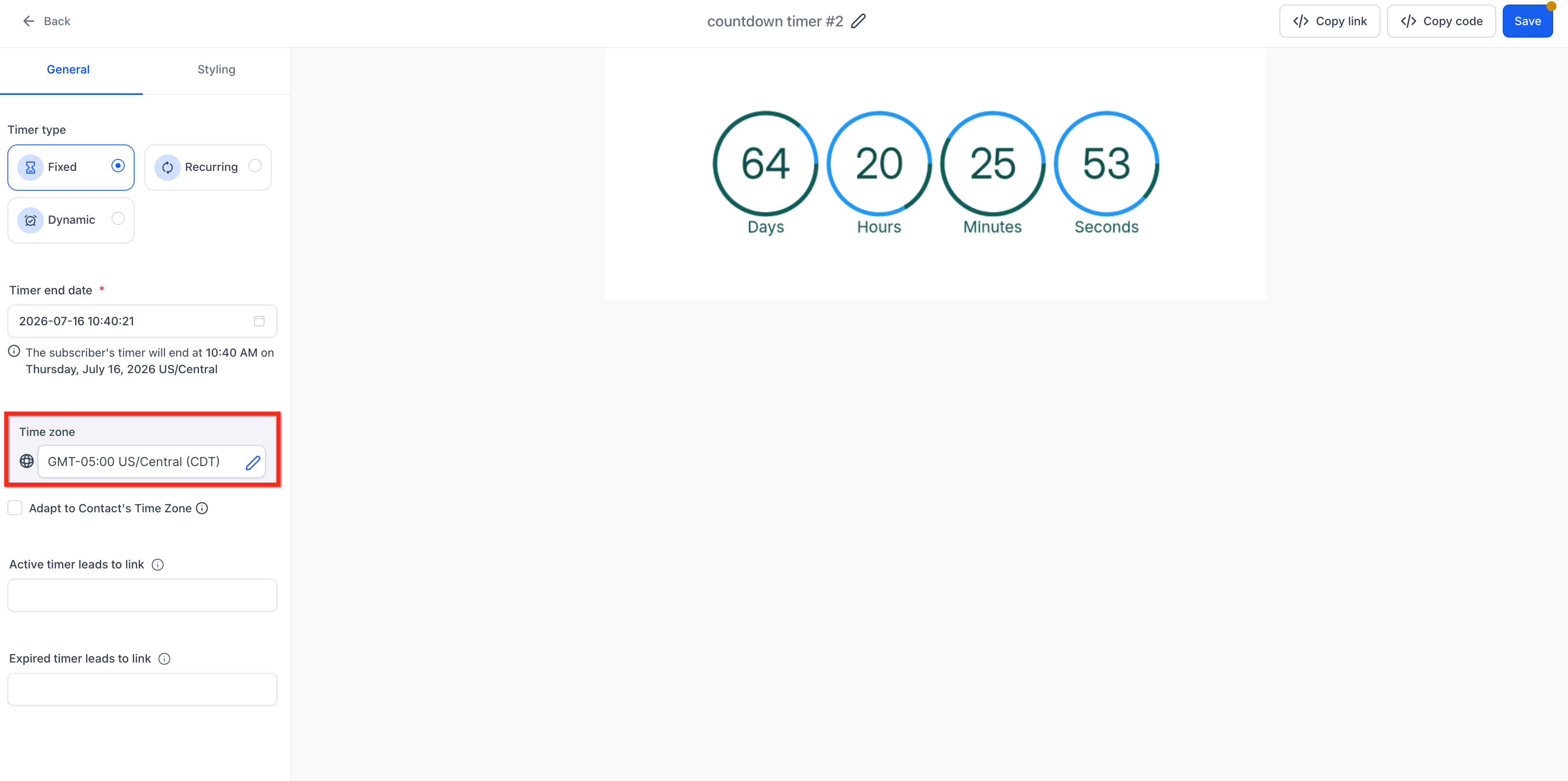
- In the timer settings, select the Time zonethat should be used as the fallback timezone.
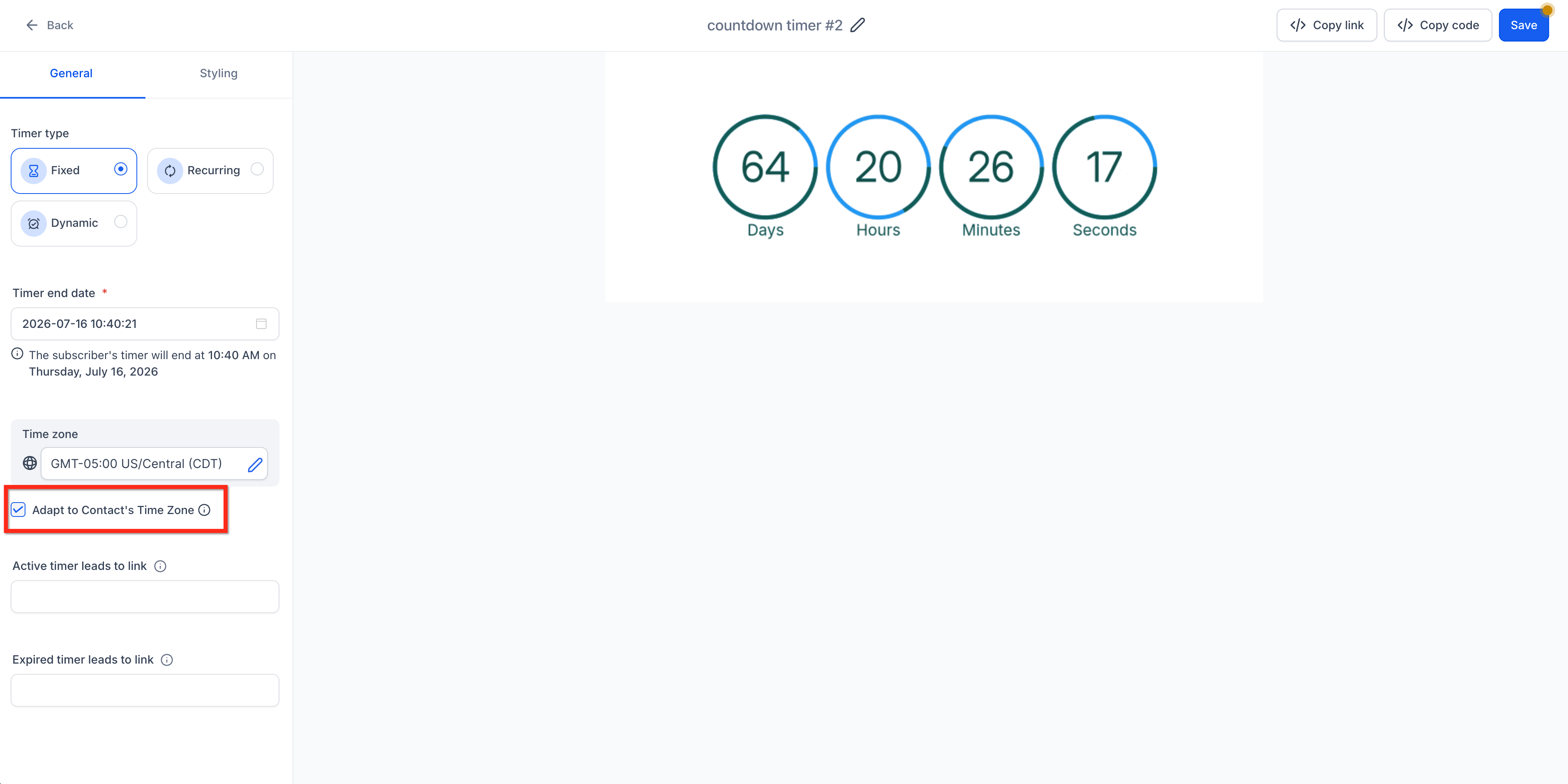
- Check the Adapt to Contact Time Zonebox.
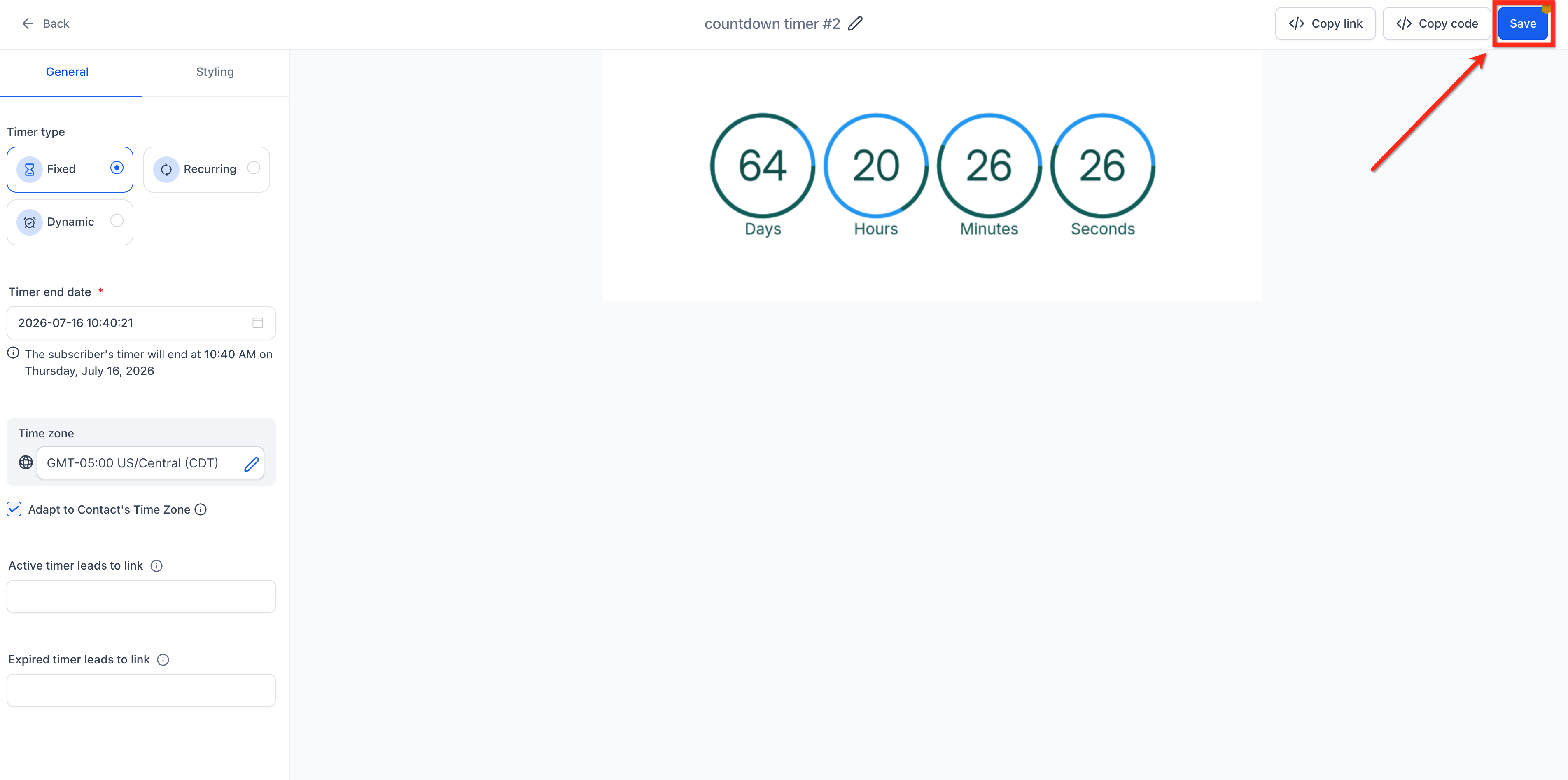
- Save the timer. When the timer is used in a supported email, funnel, or website placement, the applicable timezone logic is used.
When to Use Timezone Adaptation
Enable Timezone Adaptation when the deadline should occur at the same local clock time for each viewer. If everyone must reach the deadline at the same absolute moment, review the timer configuration before enabling timezone adaptation.
Frequently Asked Questions
Need Help?
- An email timer is not showing the expected local time: Confirm the contact has timezone data available. If not, the timer uses its configured fallback timezone.
- A funnel or website timer is not showing the expected local time: Visitor timezone is determined from IP data. If it cannot be detected, the configured timer timezone is used.
- The timer should end at the same absolute moment for everyone: Review the timer configuration before enabling Timezone Adaptation.
- Timezone Adaptation is not taking effect: Confirm Adapt to Contact Time Zone is enabled and the timer has been saved.