

In order to use our SMTP server, you need to use the SMTP credentials associated with your domain.
Please note that the SMTP credentials are unique for each domain you add. If you want to check the list of currently added users, or add more users, you can easily do so by accessing your domain settings.
TABLE OF CONTENTS
- How to Create SMTP Credentials
- What Ports Does Mailgun Support?
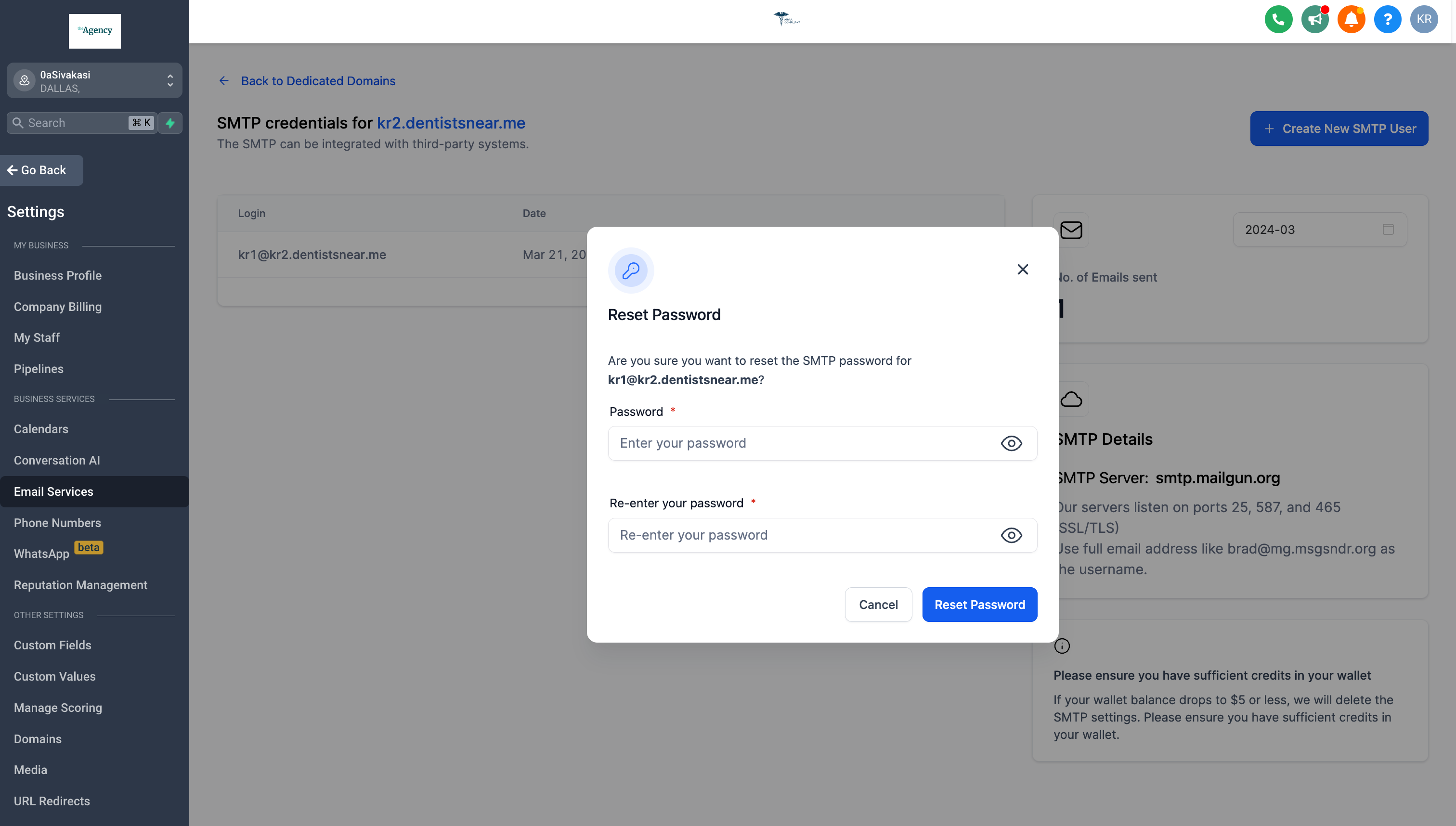
- How to Reset SMTP Password
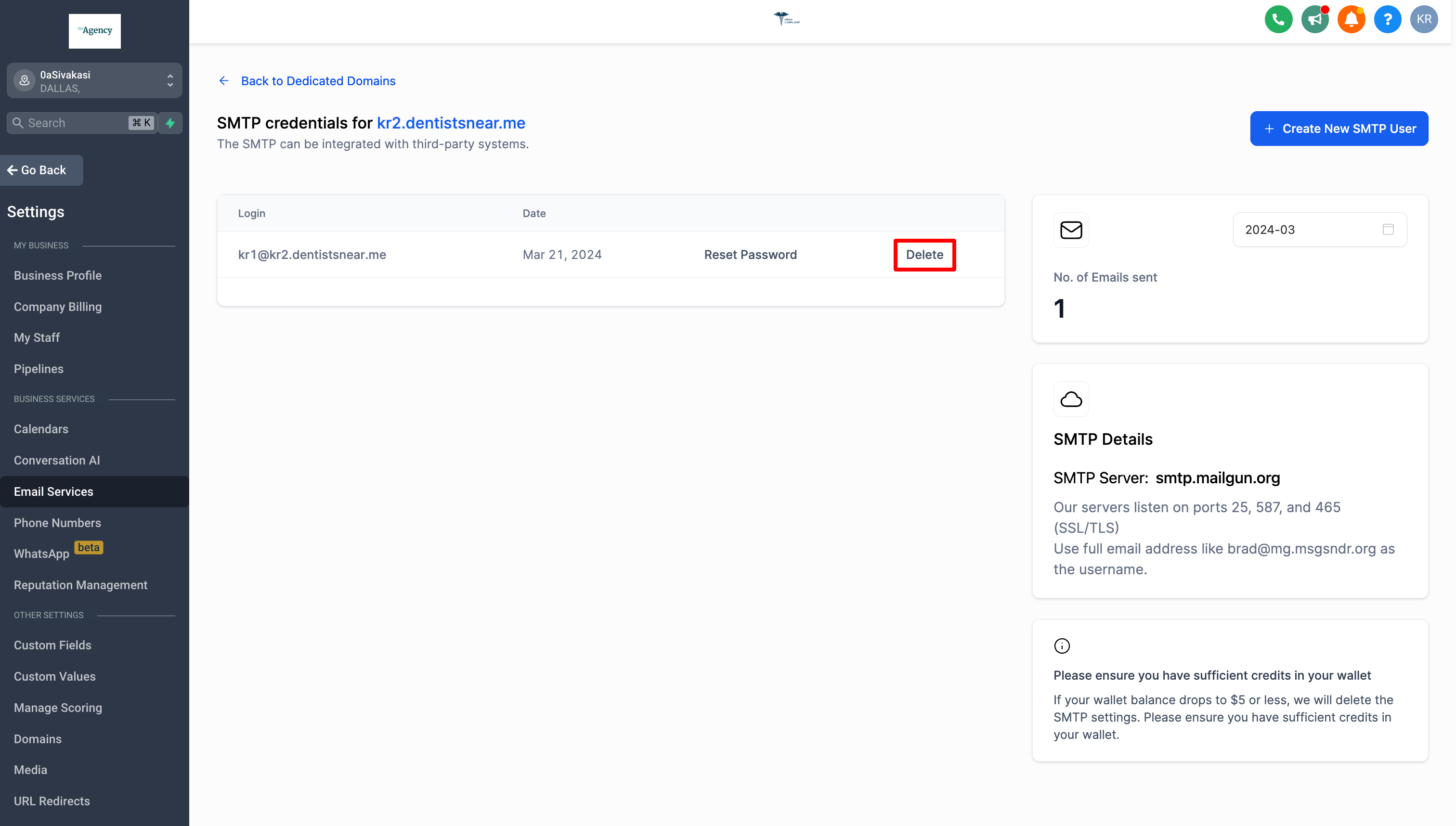
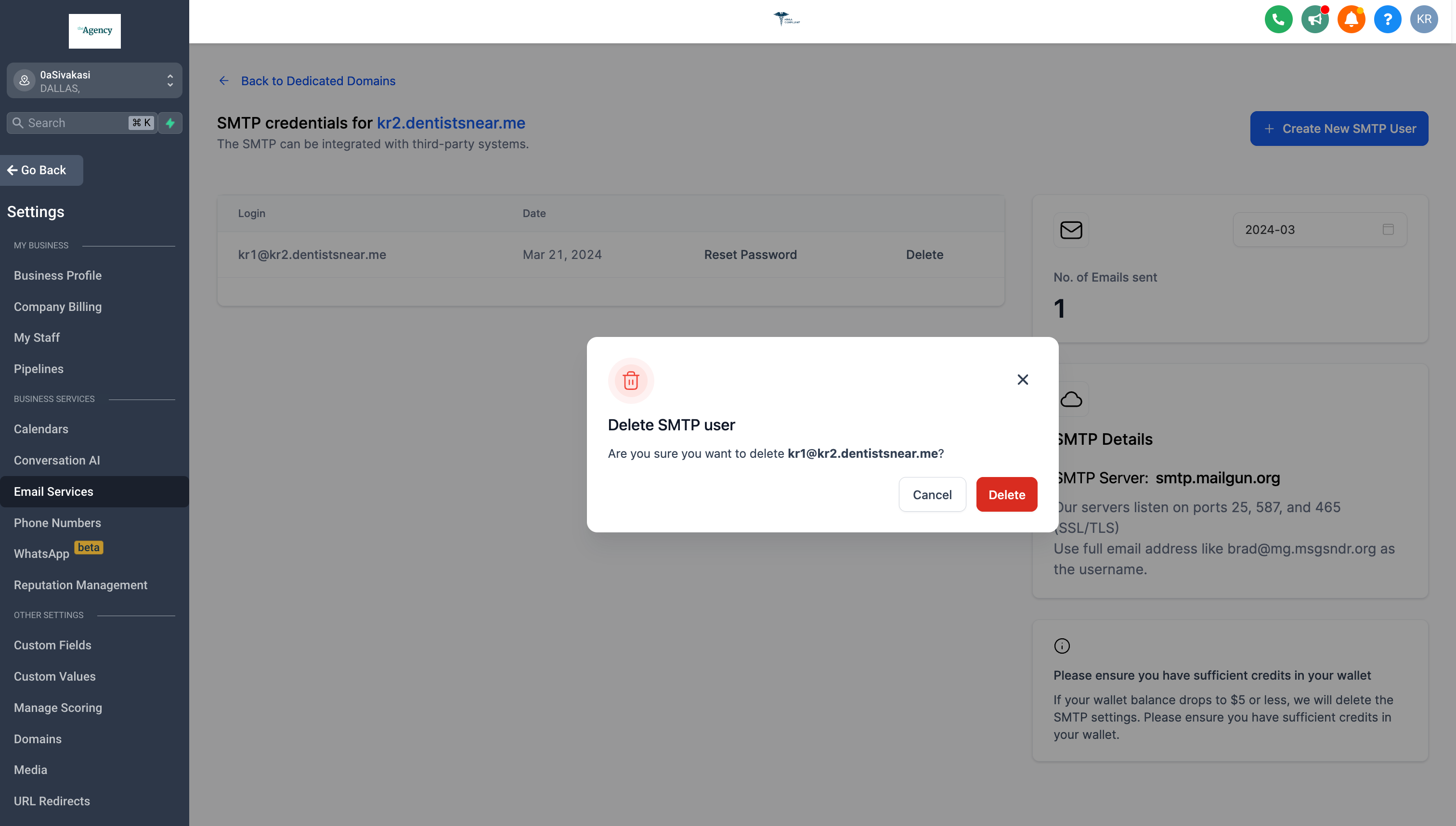
- How to Delete SMTP Credential
- Limits for SMTP and Emails
- LC – Email Pricing
How to Create SMTP Credentials
SMTP credentials can be created in sub-accounts level(not the agency-assigned domain) not at the agency level.
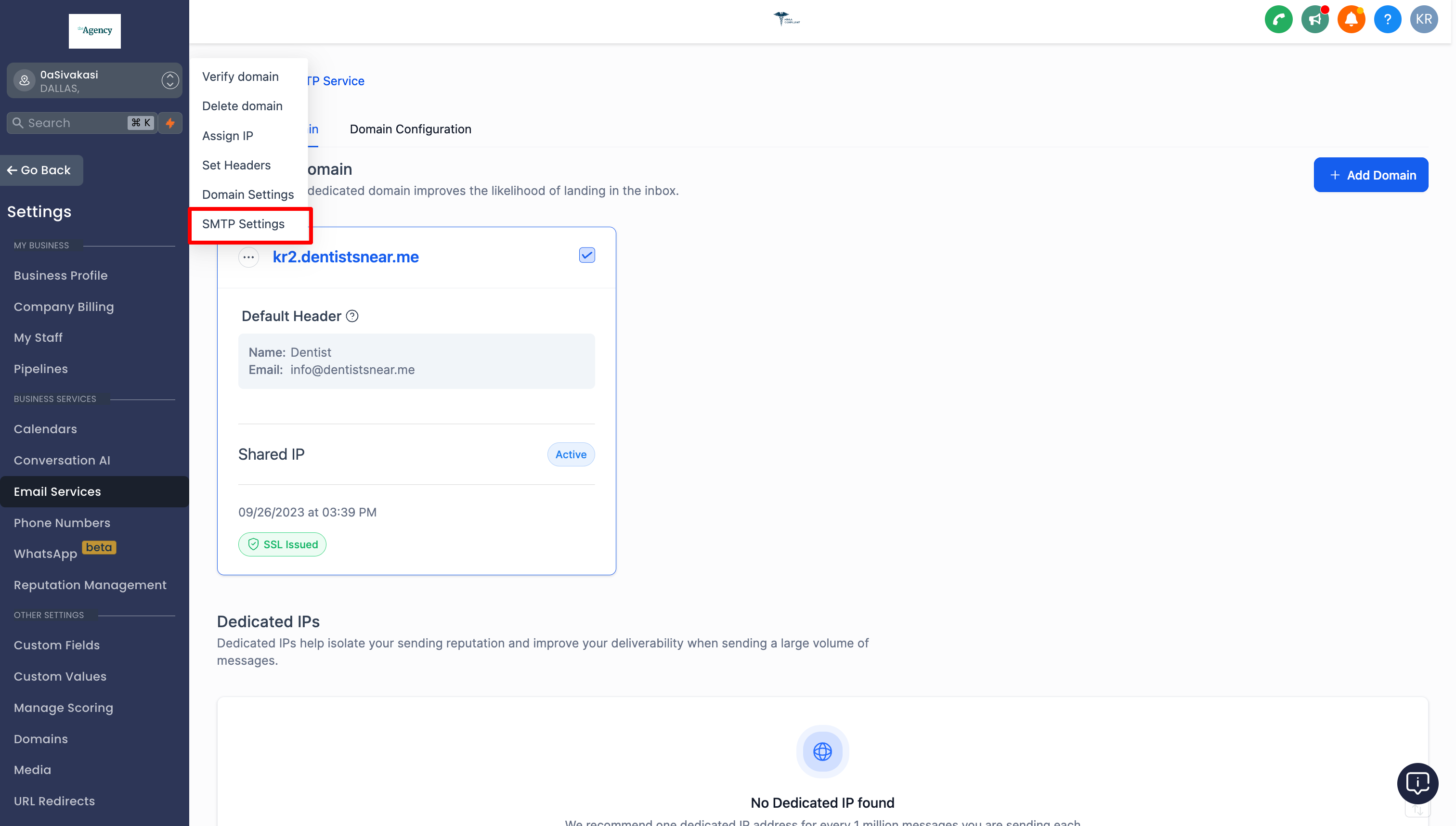
- Navigate to Sub-account Settings – Email Service -> SMTP Service -> Dedicated Domain and IP -> SMTP Settings under dedicated domain.
- Click the “Create New SMTP User” and add username and passwords to create the credential.
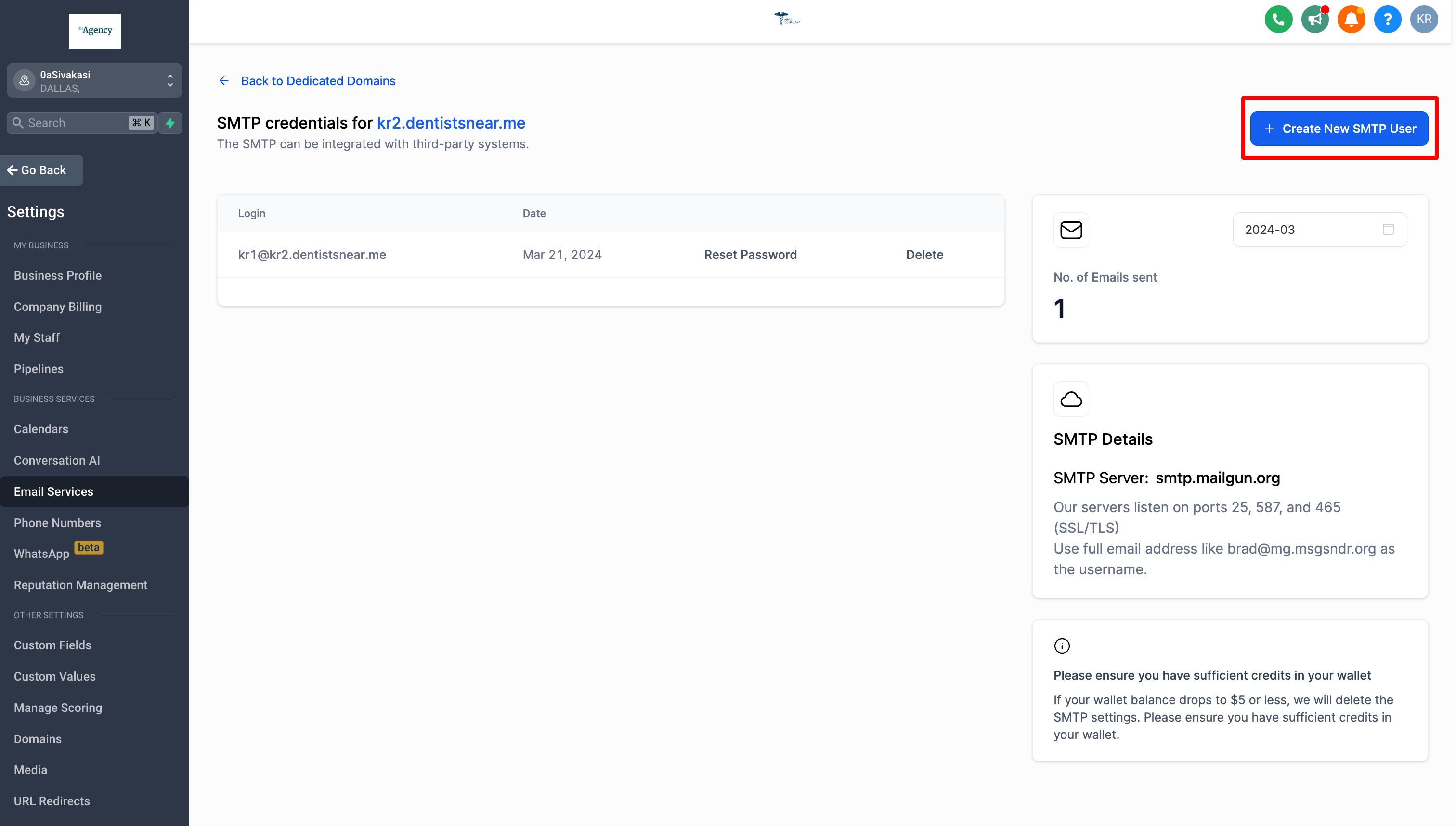
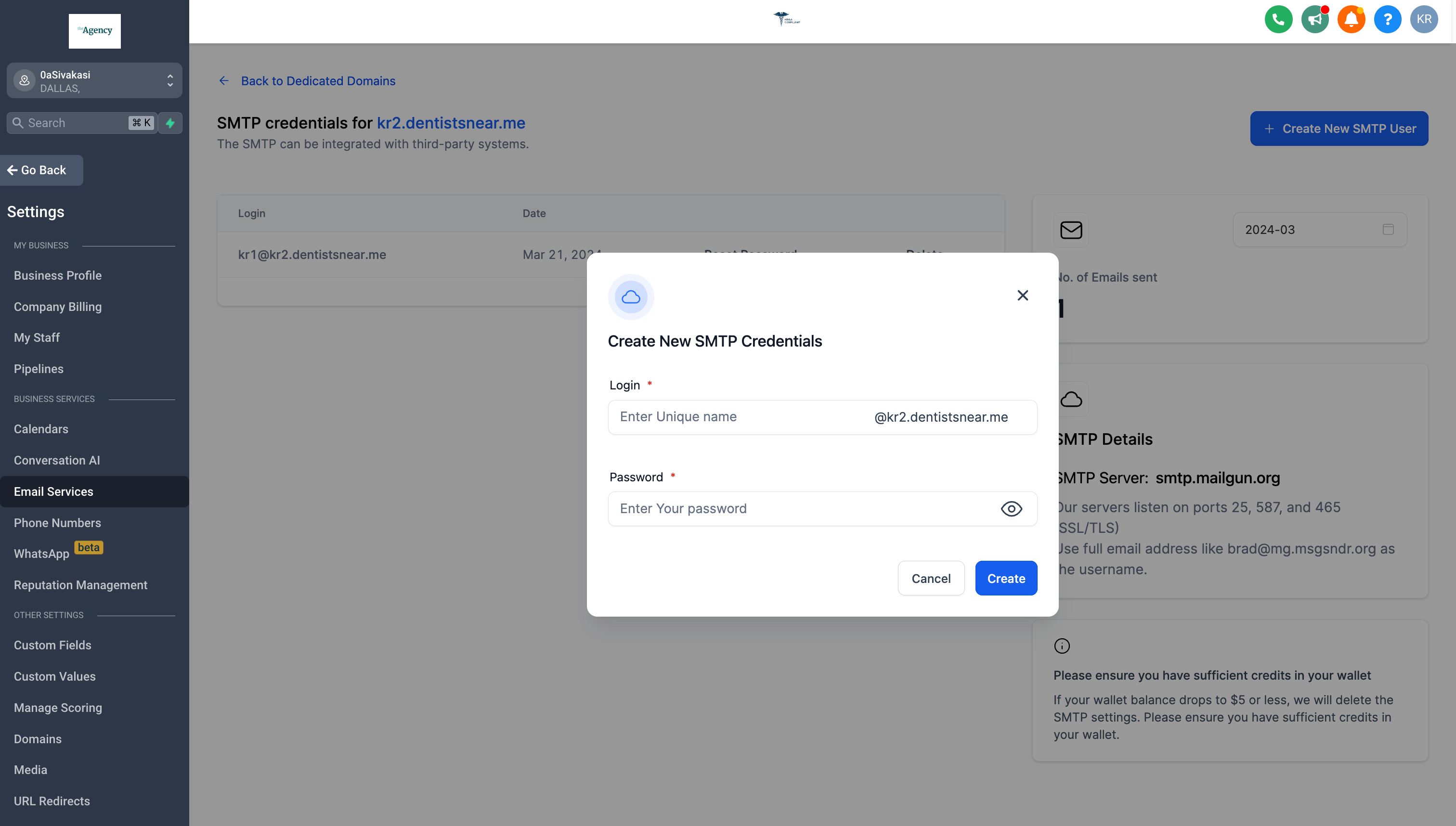
Please note that only a maximum of five SMTP credentials can be created for a dedicated domain. -
SMTP Settings
SMTP Server Address: smtp.mailgun.org
Secure Connection: TLS/SSL based on your mail client/website SMTP plugin SMTP Username: [YourGivenName@DomainName.com]
SMTP Password: [YourGivenPassword]
SMTP port: 25, 465 (SSL/TLS), 587 (STARTTLS), and 2525.
What Ports Does Mailgun Support?
Our servers listen on ports 25, 465 (SSL/TLS), 587 (STARTTLS), and 2525.
How to Reset SMTP Password
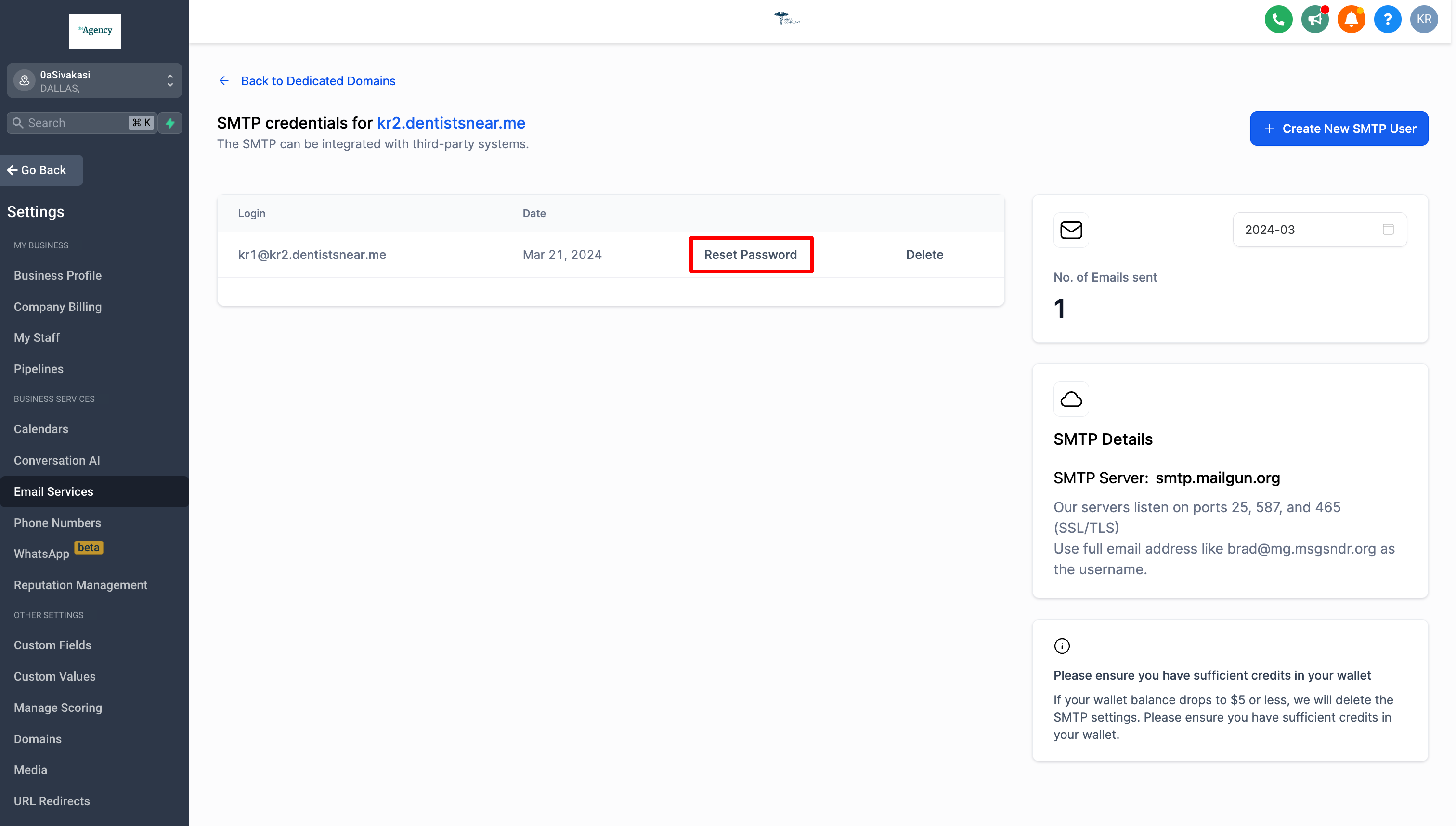
To finalize the password reset process, kindly click on the “Reset Password” button located in the pop-up modal.
How to Delete SMTP Credential
To Delete the SMTP credential, kindly click on the “Delete” button located in the pop-up modal.
Limits for SMTP and Emails
SMTP Limit:
- A maximum of five SMTP credentials can be created for each dedicated domain.
Daily Email Limit:
- Each account has a limit of 1,500 emails per day.
- If the daily limit is exceeded, SMTP credentials will be automatically deleted from all dedicated domains.
LC – Email Pricing
the All incoming and outgoing emails (To, CC, and BCC) will be charged at same email sending price.